
Trying a template or building a workflow in n8n can sometimes lead you on an unexpected detour to a service provider’s signup page. Before you can find out what an unfamiliar node adds to your automation, you may need to create an account, add a payment method, generate an API key, and set up the credential in n8n. When you’re short on time or simply exploring, that pause can be enough to keep a promising idea from getting its first run.
That new account creation no longer has to come before the satisfying sight of green checkmarks. Now, when you add a node for a supported AI model or service on self-service n8n Cloud plans, everything you need to run it is already available in n8n. Just select Gateway credits instead of adding your own provider credentials. Usage comes from a shared prepaid balance in n8n, so you can get to work without creating another account or managing another API key. For teams that allow it, one shared balance can also mean fewer vendor accounts, invoices, and expense reports to manage.
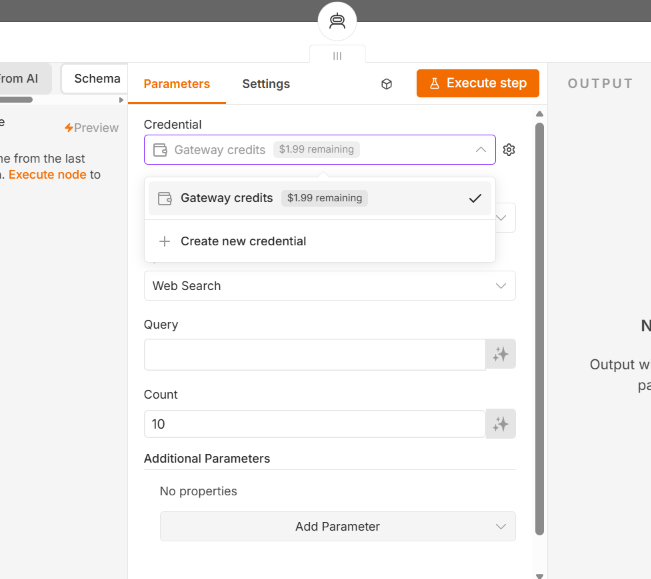
We also wanted the cost side to be boring in a good way. Our aim is to follow each provider’s published list price wherever one exists and put every rate on a single public page you can check before you run anything. Your balance is shown in real currency, and the Cloud Admin Panel lets you see how it is being used by workflow or by service. We didn’t build this to add a premium for the convenience. It's the shortest path we could find between you and a tool that does something useful today. If you later decide you’d like a direct relationship with the provider, bringing your own key works exactly like it always has.
You can also use Gateway credits for supported nodes using n8n Assistant to move from a natural-language prompt to a working automation. Whether you start with a template, a blank canvas, or a prompt, there are now fewer steps between your idea and its first successful run.
Where you can use Gateway credits today
Getting to a first run is only part of it. Gateway credits also make it easier to experiment with workflows you already use, whether that means trying a different model or adding a tool you’ve been curious about.
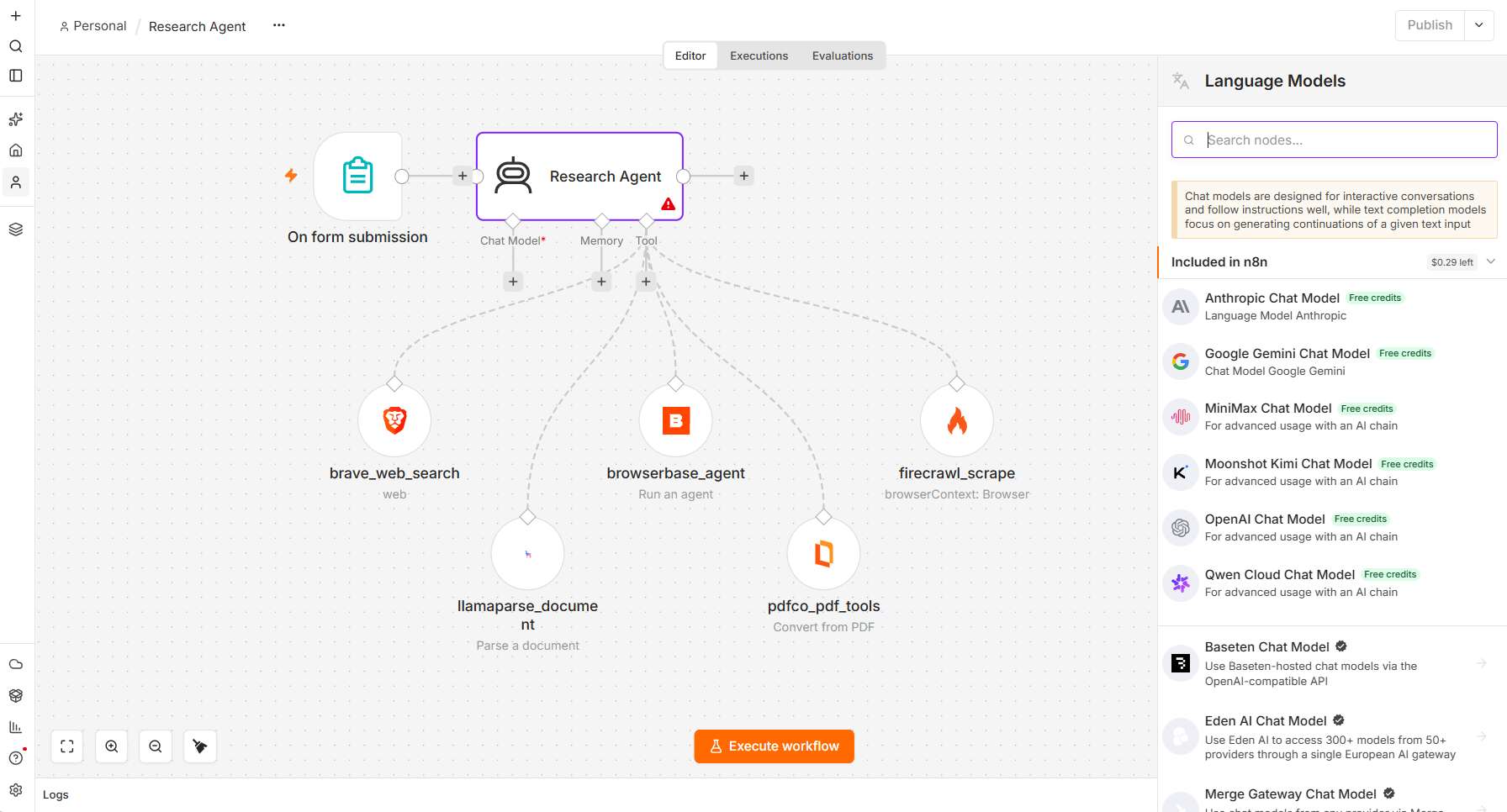
Six model providers and five tool services are available with Gateway credits today.
Model providers
Reach for some of the most recognized providers like Anthropic, Google Gemini, and OpenAI, or try one of these open models you might not have had a chance to use yet.
- Alibaba Cloud (Qwen Cloud Node): Build coding agents for complex enterprise, research, and long-horizon tasks with the world's largest open-source model family.
- Kimi.ai: Hand long-horizon coding and research tasks to an open model built to stay on track across many steps, with thinking and instant modes depending on the job.
- MiniMax: Use M3 for coding and agentic work across a 1M-token context, or H3 for omni-modal video generation.
Tool services
- Brave Search:Grounds AI apps in real-time results from its own 40-billion-page index — no Google scraping, no upstream dependencies, structural ZDR, and simple, affordable pricing.
- Browserbase: Give your workflows browser agents that navigate, click, type, and extract structured data from websites, then pass the results into the rest of an automation or agent.
- Firecrawl: Turn websites into LLM-ready data by scraping dynamic pages, parsing media, and crawling entire sites. Firecrawl handles JavaScript, rate limits, and proxies for any AI workflow
- LlamaParse: Agentic OCR that turns complex enterprise documents into AI-ready context and structured data at the Pareto frontier of cost and accuracy.
- PDF.co: Generate, convert, and extract PDFs in a single node. HTML to PDF, PDF to structured data, merge, split, and fill.
These eleven providers and services are where we’re starting, not where we’re stopping. Expect the list to keep growing.
What this gets you in practice
Take something ordinary: a competitive intelligence workflow that delivers a useful update each week.
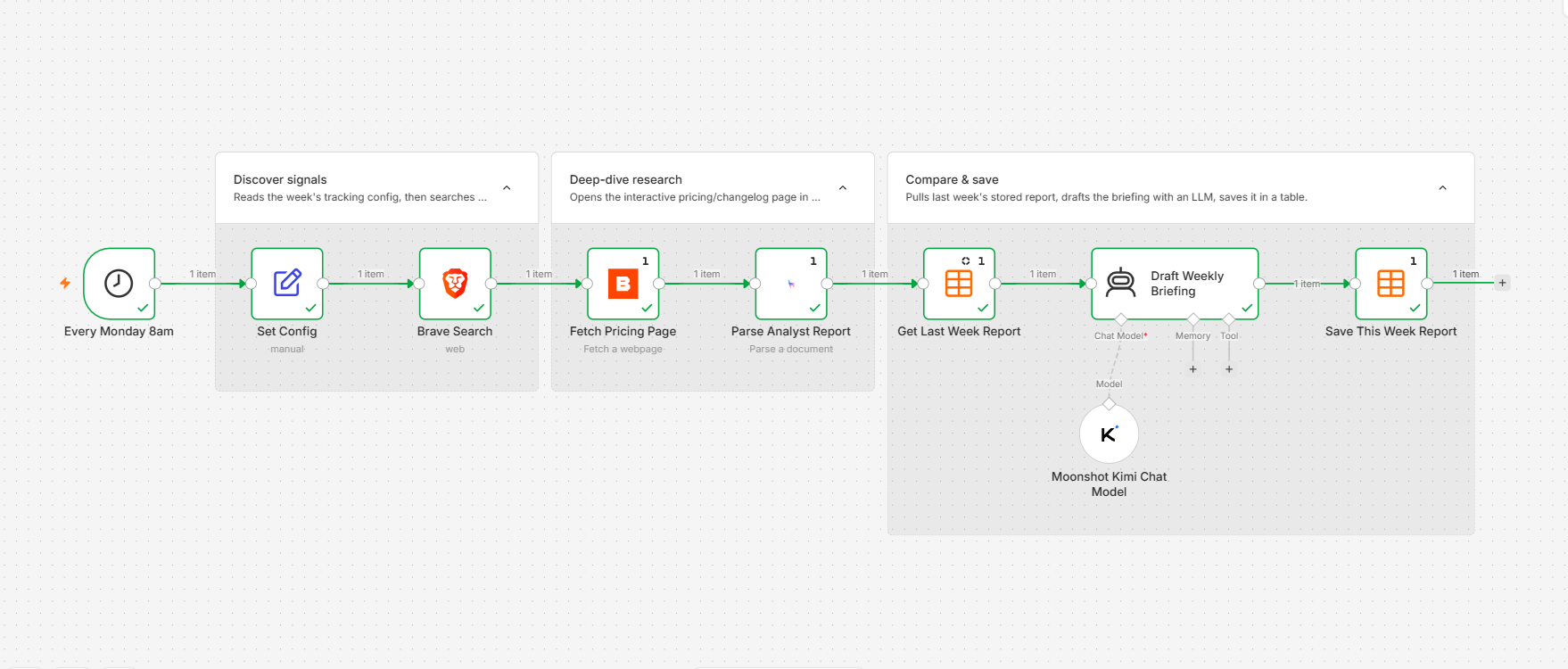
Start by building on the canvas directly or describing the workflow to n8n Assistant in natural language. When using n8n Assistant, it will apply Gateway credits if you name a supported service and don’t already have a credential for it.
For this workflow, that might begin with Brave Search, which finds recent product announcements, news coverage, and other changes across the live web. Results come from Brave’s own independent index, giving the workflow current sources it can pass directly into the rest of the research and analysis.
Search gets you most of the way, but some useful details may sit on an interactive pricing page or a changelog that only reveals its content after the page loads or someone clicks through it. Browserbase can open those pages in a managed cloud browser, navigate, click, type, and extract the information your workflow needs. This complex and time-consuming task that is often required for in-depth research, is handled quickly by adding the node.
Then there are the product briefs, analyst reports, and PDFs that the search turns up. A basic extractor can flatten a carefully structured table into something unrecognizable, leaving the model downstream with guesswork. LlamaParse combines layout-aware computer-vision, OCR, and vision-language models to parse these complex documents into structured content that preserves more of the tables, headings, and layouts that give the information meaning.
Finally, choose any of the supported models to bring the findings together, compare them with last week’s report, identify what changed, and draft the update. Add your unique parameters and you’ve got comprehensive competitive intelligence from real expert providers without ever leaving your n8n editor to set up a new account.
That is only one way to combine the services available at launch. For knowledge bases and research agents, Firecrawl can crawl an entire site and return LLM-ready markdown or structured data. For document workflows, PDF.co can turn generated content into polished PDFs, extract structured data, or merge, split, and fill files in one node.
More choice, managed in a single balance
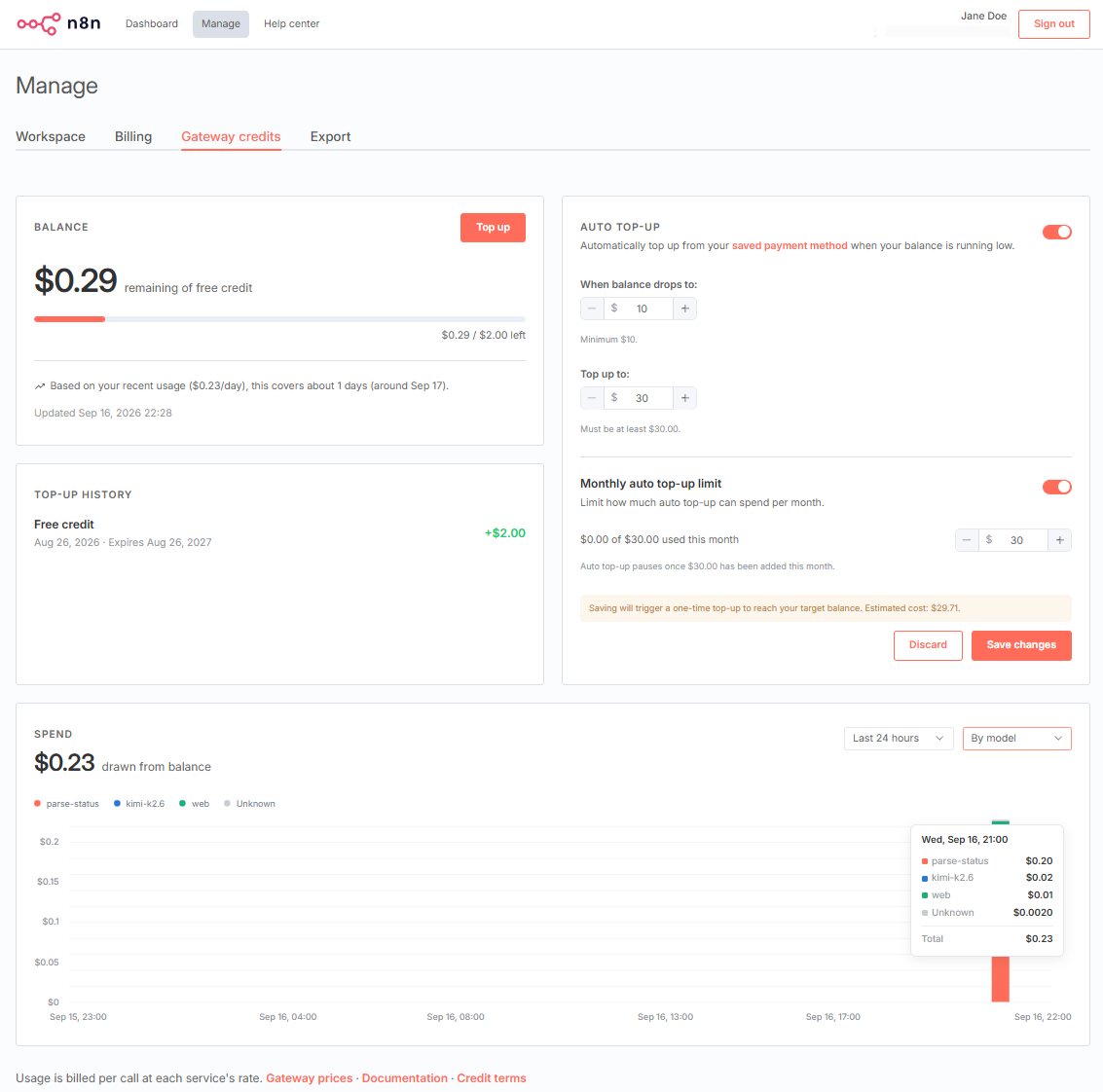
Once you’re running more than a handful of workflows, or even one complex one, provider sprawl can become its own maintenance job. Setting up accounts, tracking multiple dashboards, and managing expense reports all add work. Gateway credits come from one balance shared across your n8n instance, giving you one number to watch and one place to top up. From the Cloud Admin Panel, you can track usage by service and workflow, add funds, or set up automatic top-ups.
A shared balance across services also gives you and your team more freedom to choose the model or tool that fits each part of a workflow best, instead of defaulting to one because its credentials are already in place. Try a model you’ve been curious about, or add a new service to a workflow you already run. You’ll be able to find out how it affects your workflow before committing to another provider account.
Where this goes next
Six model providers and five tool services are only the starting point. We’re already working on the next curated batch, focusing on the APIs and capabilities people use most. Beyond that, we’re exploring how Gateway credits can support many more providers and give teams more control over how credits are managed across an instance.
Gateway credits are available on n8n Cloud Starter and Pro today. We also want to bring the same experience to self-hosted instances over time, though that requires additional infrastructure and is not part of this release.
Your n8n Cloud account may already have Gateway credits
Eligible new Cloud accounts, including trials, start with a small balance of Gateway credits. Existing paying Starter and Pro Cloud customers also received a one-time allowance during the rollout.
Spend it on something you’ve wanted to try. Put a frontier model from OpenAI, Anthropic, or Google Gemini to work on a new idea. If you’ve been curious about open models, see what Kimi.ai, Alibaba Cloud, or MiniMax can do in a workflow you already run. If you want to give an agent better access to the web, try Brave Search, Firecrawl, or Browserbase. If documents are where your workflow gets stuck, try LlamaParse or PDF.co.
Whatever you choose, Gateway credits make it easier to put a new model or service to work without leaving the canvas.