
If you've built anything in n8n, you know the gap: you can describe what you want to automate in a sentence, but that's not the same as knowing which nodes to use, in what order, configured how, and connected to which accounts. And when the first execution fails with an error you haven't seen before, you're back in the docs and the forum.
That translation step is where most automation projects stall. Not because the platform can't do it, but because working out how takes an afternoon you didn't plan to spend.
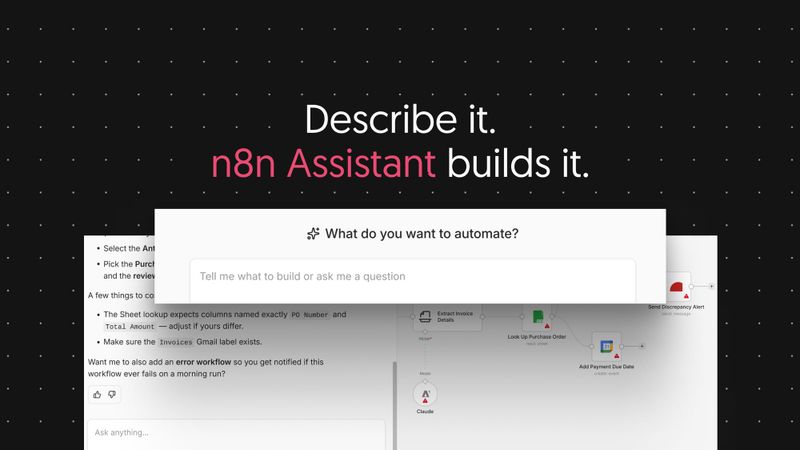
With n8n Assistant, you describe the automation you want in plain language and it plans the workflow, builds it on your canvas, asks for the credentials it needs, runs it, works out what broke, and iterates on the fix with you.
What you get at the end is an standard n8n workflow: visible on the canvas, editable by hand, logged on every run, and owned by your team rather than by whoever wrote the prompt.
You'll get something working in a few minutes, then you tighten it: swap a node, adjust a filter, add error handling, decide what needs a confirmation step. If you'd rather assemble it yourself, nothing stops you. It's the same canvas, and the workflows are the same workflows.
There's no shortage of AI tools that'll produce an automation from a sentence, and several of them are fairly good at it. But problems show up later, when a team has to depend on the result:
- Nothing to inspect. Ask a coding agent for an integration and you get code, which somebody now has to host, secure, monitor and maintain. That's fine if you're a developer automating your own work. It's harder to justify when the result only makes sense to the person who prompted for it.
- Nothing that persists. Ask an open-ended assistant to go and do the task and it might well do it. But the run ends, and the work goes with it. There's nothing left to hand over or run again next week.
- Nothing to explain with. When an automation does something surprising, someone has to explain it to a person who didn't build it. "The model decided to" doesn't cover it.
So the question isn't whether you can generate an automation. It's whether it still runs next month, whether you can see what it did, and whether a colleague can pick it up.
What n8n Assistant does
You start by describing the outcome you want rather than the steps to get there:
- It asks before it assumes. If your request is ambiguous, it asks a follow-up instead of building the wrong thing. "Send new form responses to my team" gets a question about which form and which channel.
- It builds on your canvas. Nodes appear in your workflow, wired together, ready to open. There's no script or config file to host somewhere else.
- It asks for credentials when it needs them. No setup checklist before you've seen anything work. When it reaches a node that needs an account connected, it asks then and guides you through it.
- It runs the workflow. n8n Assistant executes what it built, watches what happens, and reads the same execution data you'd open yourself.
- It debugs. If a node fails, it works out why, proposes a fix - then applies it, and runs it again. No copy and pasting between tools or downloading JSON files to manually review.
- It asks before anything consequential. Credential access and workflow activation need your explicit confirmation.
Your workflows stay yours
None of this happens in a separate product surface. The workflow n8n Assistant builds is the workflow you would have built by hand, in the same project, with the same nodes and the same execution history.
Here's a typical example. Someone wants inbound form submissions triaged: enrich the company, check whether they're already a customer, then either route to sales or send a templated reply. They know all of that as a sentence and none of it as a node graph. n8n Assistant plans it, builds it, asks for the CRM credential when it reaches the node that needs one, runs it against a test submission, and finds that the enrichment step returns an empty array for sole traders. It fixes that, runs it again, and hands over a workflow with eight nodes and a clean execution.
A week later the routing rules change. Someone who wasn't involved opens the workflow, reads it, and edits a node. They don't need to know what anyone typed to get it built.
Run it, review it, improve it
Generating the workflow is only the first step. What you get after that:
- It executes. n8n Assistant runs the workflow and reads the result instead of declaring success.
- Failures are visible. Execution logs show inputs, outputs and errors per node, the same view you'd use to debug by hand.
- Fixes are applied and re-run. The loop continues until the workflow completes, or until the blocker is something only you can fix, like an account that doesn't exist yet.
- Confirmation gates stay with you. Credential access and activation wait for your approval.
- Review before you rely on it. Read the workflow, check the credentials, look at the logs, then activate. Especially for anything business-critical.
What a build costs
n8n Assistant draws on your plan's AI credit allocation. Existing users keep the allocation they already have, and usage is counted separately from the previous AI workflow builder, so nothing you spend here changes what you had before.
A build that needs several rounds of debugging costs more than one that lands first time. Credits are allocated per plan, and we will be adding ways to top these up in the coming weeks.
Availability
- n8n Cloud: on by default for new instances. Enterprise Cloud instances are excluded from that default for now.
- Self-hosted (Docker): You bring your own keys, set additional environment variables, and run an n8n version from 2.36 onwards. See https://docs.n8n.io/deploy/host-n8n/install-options/one-line-setup for more details.
- Self-hosted (npm): not supported.
- Enterprise: on our roadmap, coming soon.
Please note that n8n Assistant still ships behind a preview flag. That isn't a limit on who can use it: it's in active development with more features coming soon.
Some things aren't here yet, but we're working on for the future:
- The first workflow isn't guaranteed to be production-ready. It gets you to something that works. Reviewing it is still your job.
- Credential and third-party setup hasn't gone away. n8n Assistant asks at the right moment and guides you, but it can't create an account on a service you don't have.
- It isn't proactive. It doesn't monitor your instance, learn your preferences over time, or suggest automations you haven't asked for.
- It works on one instance. There are no multi-instance capabilities in this launch.
- It doesn't drive your computer or your browser. Browser-assisted credential setup is something we're exploring, and it isn't part of this release.
Also, n8n Assistant supersedes the AI Workflow Builder. Where the old builder generated a workflow once and stopped, n8n Assistant builds it, runs it, and finds improvements.
Get started
Open n8n Assistant in your instance and describe an automation you've been putting off. Something real, with a couple of integrations and at least one step that could plausibly go wrong.
Here are some ideas to get started with:
- Route inbound form submissions to the right owner
- Sync a spreadsheet to a CRM on a schedule
- Post a daily summary of yesterday's failed executions to a channel
- Turn a recurring manual report into a workflow
- Repair an existing workflow that's been failing quietly
Check out the n8n Assistant documentation here: https://docs.n8n.io/build/ways-of-building-workflows/n8n-assistant
While n8n Assistant is behind the preview flag, the most useful feedback is the specific kind: what you asked for, what it built, and where it fell down. We're reading the community forum closely.
We can't wait to see what you build with it.