

Starting today, if you're on n8n Cloud (Starter or Pro) and you run out of Assistant credits, you can buy more and keep building.
Being able to top up has been one of the most common requests we've heard since we launched n8n Assistant. Until now, running out meant waiting for your allowance to reset on the 1st of the month, or upgrading your plan. Neither is a great option when you're halfway through building a workflow.
How top-ups work
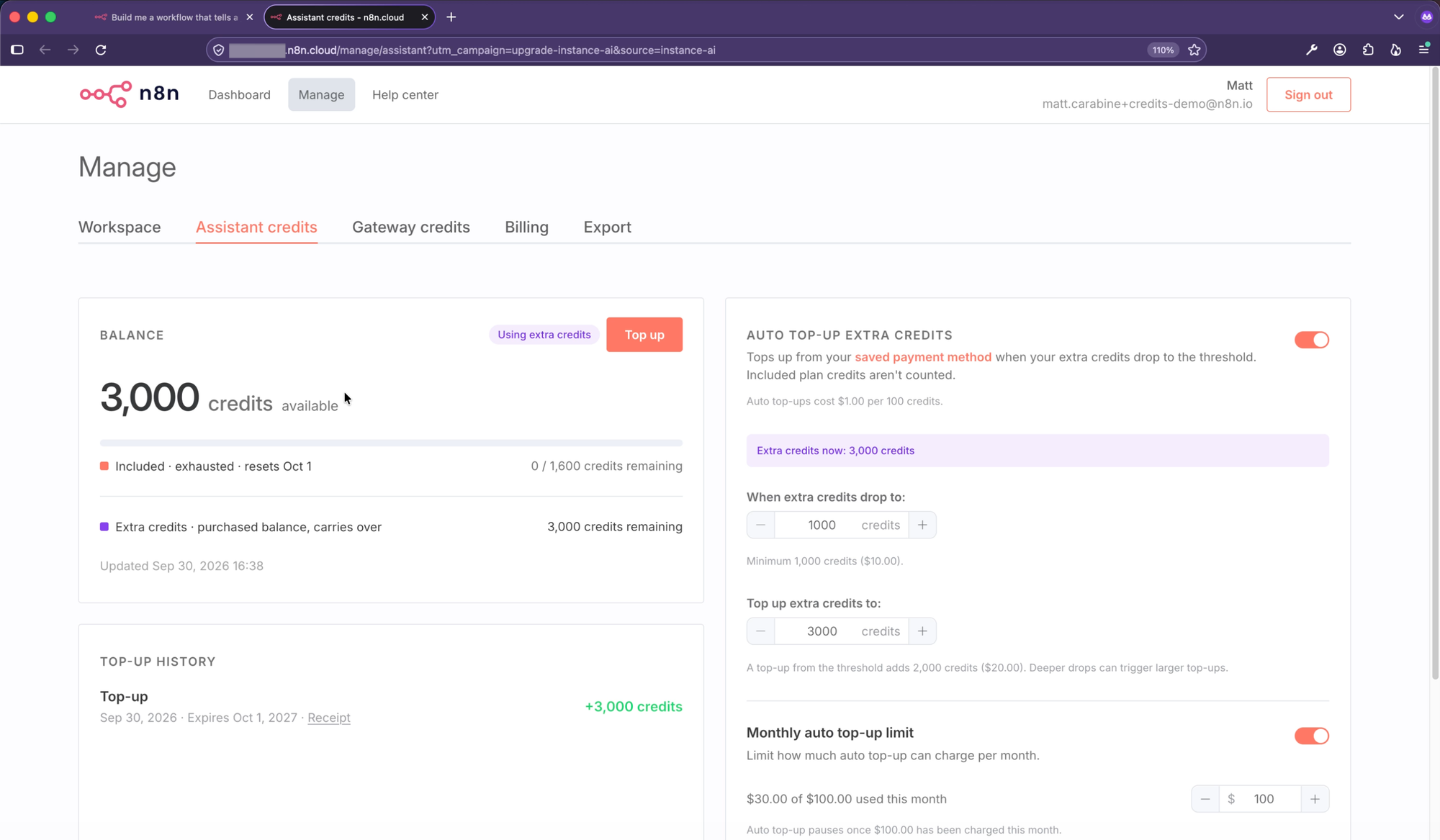
Your plan still includes a monthly allowance of Assistant credits that resets on the 1st of the month. Top-ups are extra credits on top of that, and they're optional.
You can add extra credits in two ways:
- Top up manually. Pick a credit package whenever you need one.
- Turn on auto top-up. Choose the extra-credit balance that triggers a top-up and the balance to refill to. A monthly limit, on by default, caps how much auto top-up can charge in a month.
The Assistant always uses your included credits first, and only moves on to extra credits once those run out. Extra credits carry over from month to month and expire 12 months after you buy them.
See where your credits go
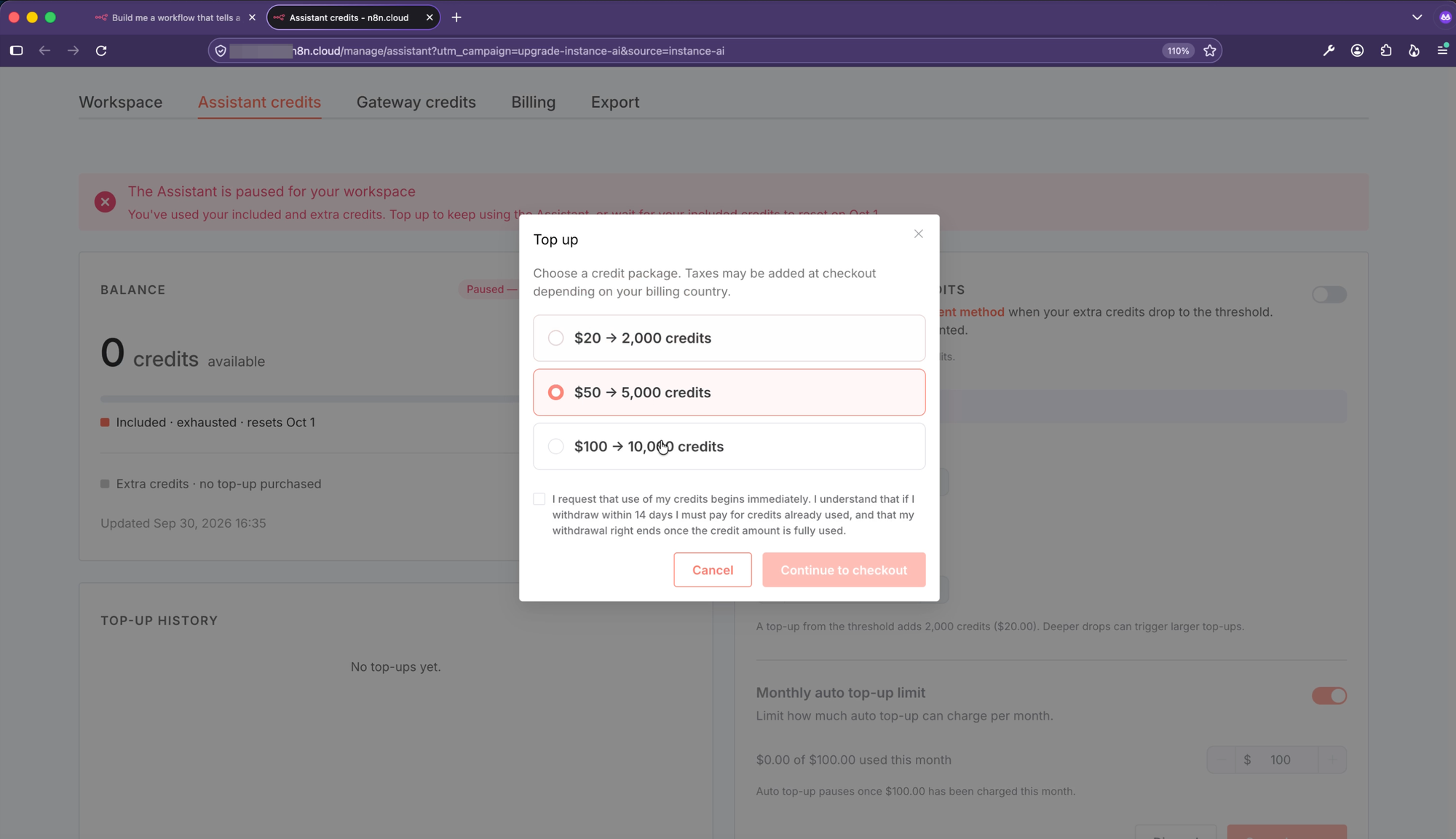
The new Assistant credits tab in the Cloud admin dashboard shows:
- Your balance, split into included and extra credits
- A spend chart for the last 24 hours, 7 days, or 30 days
- Which users on your instance use the most credits
- Your top-up history
In the editor, the Assistant panel shows how many credits the current conversation has used, and warns you when you're down to 10%.
We've updated your monthly credits
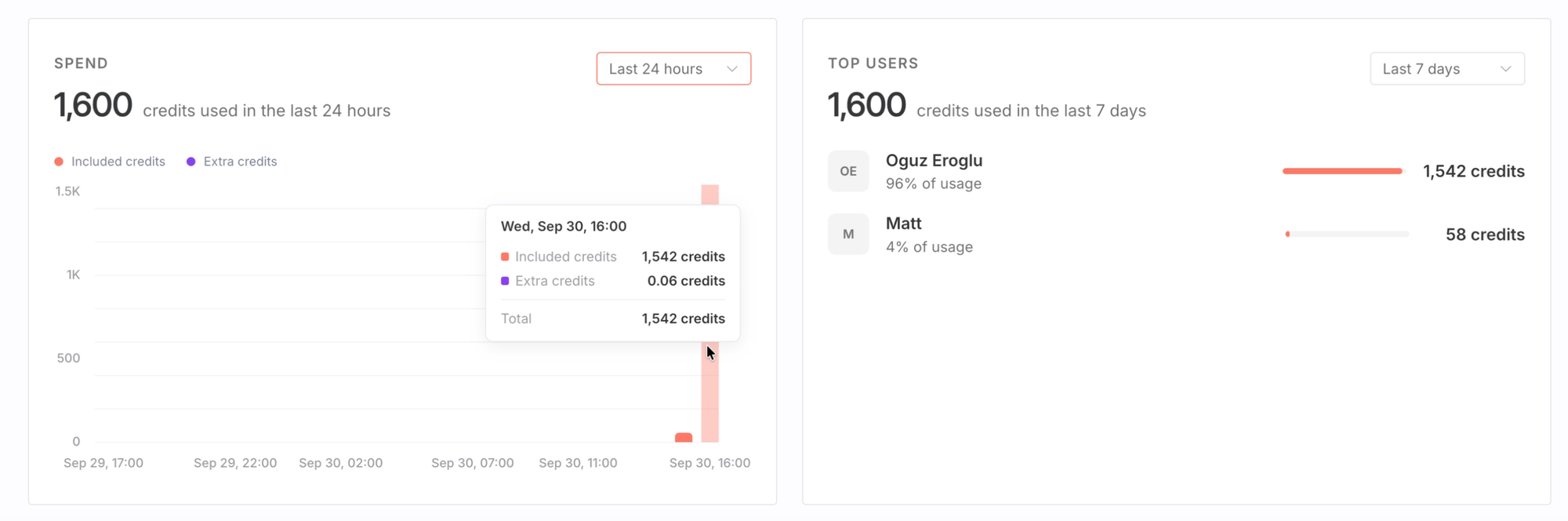
If you're on Starter or Pro, you'll notice that your monthly credit allowance has changed.
For most people, the updated allowance will go further than before. That comes down to some improvements we’ve made:
- A newer, more capable model. We've moved everyone to a newer model, so the Assistant needs fewer credits to do the same work.
- One standard credit value. Now that you can buy credits, a credit needs a fixed price. We recalibrated credits so they're worth the same on every paid plan, and set each plan's allowance to match.
- Improvements under the hood. We've optimized how the Assistant works internally, so it gets more done with each request.
How many credits does it take to build a workflow?
That's the question we get most often, and there's no single answer. It depends on the request: longer conversations, more complex workflows, and debugging sessions use more credits than short, focused requests. No two prompts will cost the same, due to non-deterministic LLM behavior and different surrounding context.
What we can provide is a is a sense of the range to expect. Here are what a few typical requests use today:
- A quick question [10-20 Credits]
- "What authentication methods for Slack does n8n Support?"
- "What authentication methods for Slack does n8n Support?"
- A simple workflow or fix from one prompt [50-100 credits]
- "Once a day, check the weather in Berlin using a free weather API and email me the forecast."
- "Once a day, check the weather in Berlin using a free weather API and email me the forecast."
- A larger build with explicit testing, or a longer debugging session [300-600 credits]
- “Before building, research the current docs for free keyless APIs for geocoding, weather forecasts, country info and exchange rates, and pick three real destinations with very different weather this week so each one lands in a different trip category. Then build a "Travel Weather Briefing" workflow: a form asks for a city, travel dates and home currency, the APIs above gather the data, writes packing tips, labels the trip Hot, Cold, Wet or Mild, and each briefing is saved to a Data Table. Post the briefing to a Slack channel, show it on the form's completion page. Ensure you handle errors such as unknown cities or currencies, and test the workflow with the three cities you researched.”
- “Before building, research the current docs for free keyless APIs for geocoding, weather forecasts, country info and exchange rates, and pick three real destinations with very different weather this week so each one lands in a different trip category. Then build a "Travel Weather Briefing" workflow: a form asks for a city, travel dates and home currency, the APIs above gather the data, writes packing tips, labels the trip Hot, Cold, Wet or Mild, and each briefing is saved to a Data Table. Post the briefing to a Slack channel, show it on the form's completion page. Ensure you handle errors such as unknown cities or currencies, and test the workflow with the three cities you researched.”
These ranges will change as we keep improving the Assistant and the models behind it, so treat them as a rough guide. One tip that definitely helps: specific prompts use fewer credits than open-ended ones.
A few things to know
- Credits are shared across your instance. Everyone on the instance draws from the same balance. If five people on your team use the Assistant, they're all using the same pool, and the top users view shows who's using what.
- Only the instance owner can top up. Topping up also requires an active paid plan.
- Your workflows keep running. Running a workflow never uses Assistant credits, even if the Assistant built it. Only your conversations with the Assistant do.
- Assistant credits and Gateway credits are separate. Assistant credits pay for your conversations with the Assistant. Gateway credits pay for the AI model calls your workflows and agents make when they run. Topping up one doesn't add to the other.
- Free trials include a one-time allowance. Free trials get 800 credits. Top-ups aren't available during a trial, so you’ll need to upgrade to a paid plan to get more.
- Self-hosted n8n doesn't use Assistant credits. The Assistant runs on your own model provider account instead.
For all the details, check out the Assistant credits docs.
Got any questions?
Just send a reply in the community forum post.