
We don’t know how much a token really costs. They are subsidized by big tech and most AI providers are operating at a loss. Once funds dry up and providers will have to operate like a normal business, token costs will very likely increase, like they have been recently. Even Microsoft has found Claude Code to be too expensive and canceled its licenses, despite it being preferred by developers over Github Copilot.
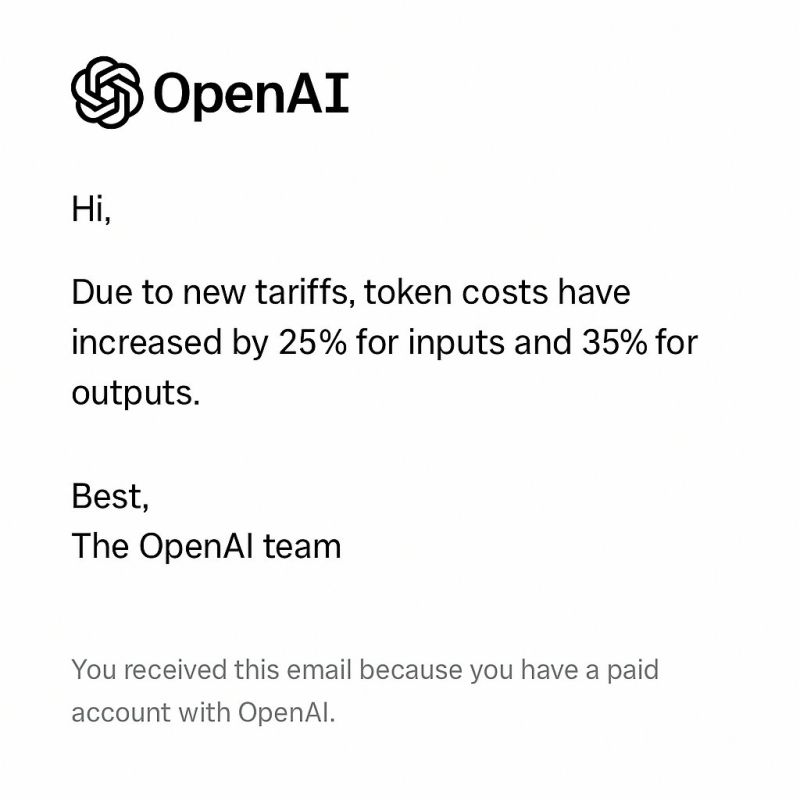
Most organizations are getting their business logic dependent on LLMs. You won’t decommission your in-production chat support Agent just because costs went up 10%. But if they go up 10% three or four times, you will need to take a closer look at financials.
Agent logic is also increasingly token-heavy due to tool calls, retrievals, reasoning, agents deciding to write a whole webpage instead of responding in plain text, etc.
You’ve got two options going ahead
- Optimizing your token usage if you want to continue using frontier models
- Self-host LLMs.
I would advocate for the second option. Mitko Vasilev’s tagline makes the case clear
Make sure you own your AI. AI in the cloud is not aligned with you; it's aligned with the company that owns it.
n8n was ahead of the curve with this one for two main reasons. The self-hosted AI starter kit that was launched over two years ago (!!!), and swappable AI components is a core functionality in a workflow. You can swap the model provider without rewriting the workflow logic that sits around those components.
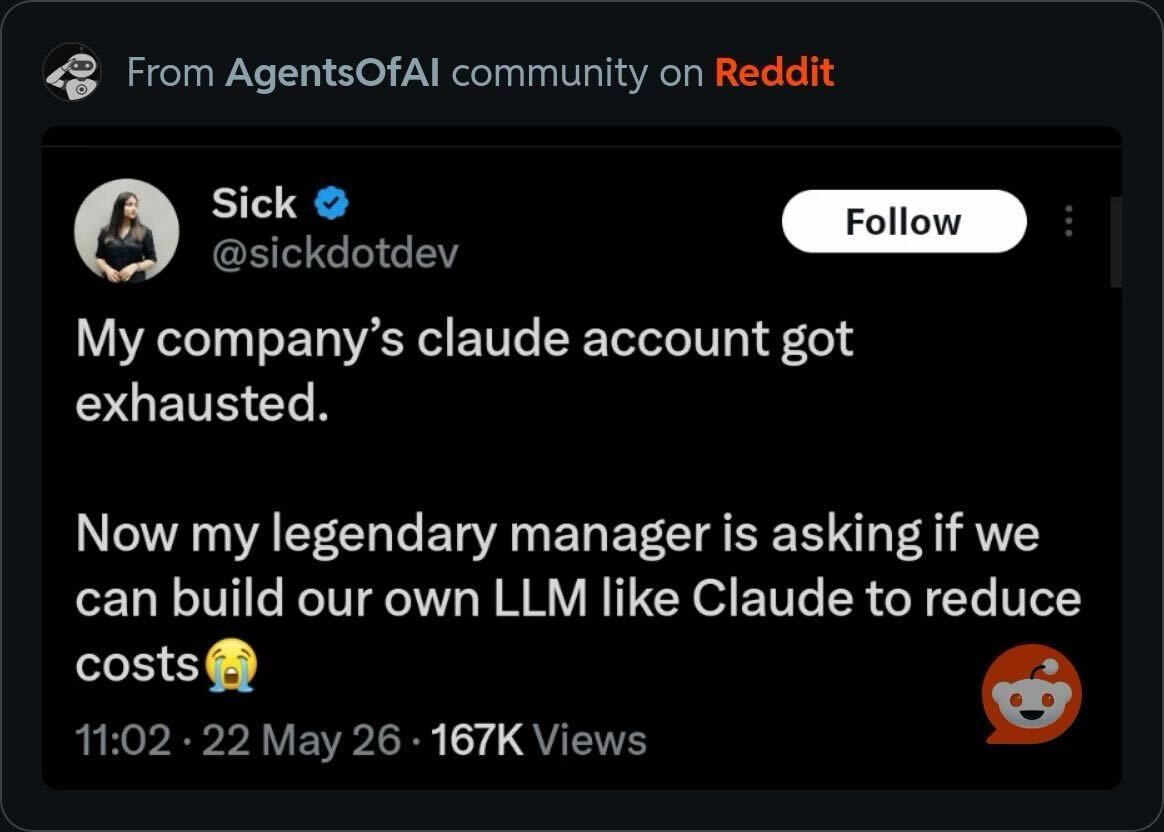
No, but the underappreciated open source community built multiple LLMs so you can reduce costs.
Why self-hosting your LLMs is quite cool
Besides not outsourcing your spend decisions to a third-party provider, you also have some advantages for self-hosing LLMs, namely:
- Fewer points of failure: in 2026, Claude’s been down all the time (98.64% uptime at the time of writing) and there isn’t much you can do about it. An industry-standard compute service has an uptime of five nines, 99.999%. Besides dependency on LLM provider’s availability, there is a correlated network dependency, where you may hit timeouts or rate limits.
- Additional controls - When you own the model endpoint, you decide what happens at every layer. You control which model version is running and when it gets updated, or whether it gets updated at all. You are not limited by which controls LLM providers expose via APIs.
- Privacy - neither prompts nor outputs will leave the self-hosted environment unless explicitly exported. There are no concerns about data subprocessors or third party providers changing their data processing terms.
- Interpretability - there are tools such as TransformerLens or SAEsto which can help better understand an LLMs internals, which cannot be achieved with cloud models.
- Model customization and finetuning - QLora and similar technologies allow to customize a model for a specific task to the point where, in specific domains, a small model can get to the same performances as SOTA models at a fraction of the size and time. This is even a bigger advantage as OpenAI has deprecated their finetuning APIs.
Why self-hosting can be a headache
You can’t point your finger at OpenAI or Anthropic when services are down, so you have to take responsibility for all the model infrastructure entails. Some gotchas can be:
- Supply chain security: it will be your responsibility to choose, deploy, and manage models, which means you are liable to pull backdoored models. Runtime also comes with its own set of vulnerabilities.
- Setup and configuration: You can’t really vibe code your infrastructure deployment. While, for example, the AI starter pack makes it easy to spin up, if you want to go beyond Ollama or want to expose the LLM to non n8n services, you need to set up the infrastructure. This differs if you self-host on your local machine, organization hardware, or use a cloud provider for the compute.
- Managing breaking changes. Update any component and it may no longer work. See examples of breaking changes here.
- Performance - frontier models are the best-performing models today. New model releases have so far always outperformed older ones on benchmarks.
- Resource utilization - LLMs eat a lot of memory between model and cache, which can cause out-of-memory errors that might kill agents and other processes that run share the compute layer (without isolation).
What do you need to run LLMs locally?
Assuming you are writing agents and exposing them using n8n, the layers below that you will manage include infrastructure (and operating system), model runtimes, and the model.
Infrastructure
Just because you’re self-hosting, doesn’t mean that you have to run it on your local machine, wait six months to get your H100s and then find some closet space in your office or go to Equinix and lease a couple of racks. You can still lease compute and storage, and deploy your LLMs on the cloud infrastructure on your terms.
For GPU-based IaaS, you can choose from this non-exhaustive list:
- RunPod offers both GPU Pods (persistent VMs) and Serverless (pay-per-second inference endpoints), covering the full spectrum from development to production deployment.
- Lambda Labs is the go-to for stable, dedicated instances with no data egress fees — a significant advantage if your workflows push large volumes of completions back to an on-premises n8n installation.
- CoreWeave provides enterprise-grade infrastructure optimised for large multi-node clusters. H100s run at approximately $4.76/hour on-demand, with volume discounts for committed capacity.
- Vast.ai offers the lowest headline prices, from around $0.17/hour for older GPUs, through a peer-to-peer marketplace,
Hyperscalers are also a great option. If you’re already running n8n in a hyperscaler, you may just explore hosting an LLM in your existing environment. AWS, for example, offers both CPU and GPU for EC2.
Yes, you are essentially just moving spend from one provider to another and taking on the operation burden, but remember the premise - token prices are arbitrary. There is no market value for a token, so they can easily skyrocket. Infrastructure-as-a-service on the other hand is a highly competitive and mature space. If GPU rental increases pose too big a risk, you always have options for running LLMs on CPUs.
Inference Runtimes
Runtimes have different mechanisms for serving LLMs, most notably whether they run on CPU or GPU. Other considerations include model formats (such as GGUF or safetensor), and whether newer models will be supported on all existing runtimes. Ollama is an all-purpose runtime that you can start with.
| Runtime | CPU | GPU | Best for |
|---|---|---|---|
| llama.cpp | Yes | Yes | Dev / low-traffic |
| Ollama (wraps llama.cpp) | Yes | Partial | n8n default |
| vLLM | No | Yes | High concurrency |
| SGLang | No | Yes | JSON / tool calls |
| ExLlamaV3 | No | Yes | VRAM-constrained |
| Intel IPEX-LLM | Yes | Partial | Xeon / Arc HW |
| LM Studio | Yes | Partial | Eval / dev only |
- llama.cpp supports both CPU- and GPU-based architectures, but has been the preferred option for CPU-based use cases. It's a highly portable reference runtime. It supports AVX2, AVX-512, and ARM NEON instruction sets, runs with zero GPU dependency, and is what Ollama uses under the hood. It is the right choice for development environments and low-traffic deployments.
- vLLM is the production-grade, GPU-optimised server. It implements continuous batching and PagedAttention, making it a good choice when multiple n8n workers are firing AI Agent nodes simultaneously and you need the GPU to handle concurrent requests efficiently rather than serialising them.
- Ollama is the developer-friendly entry point. It wraps llama.cpp behind a clean API, handles model lifecycle management, and is what the n8n self-hosted AI starter kit targets by default. It trades some performance ceiling for considerably lower operational friction.
- LM Studio provides a desktop GUI for running local models. It is useful for internal teams who want to experiment without a terminal, but is not designed for headless server deployments.
- SGLang is optimised for structured and constrained generation. It is particularly relevant for n8n tool-calling nodes that require valid JSON back from the model — a category of failure that is more common than it should be with general-purpose inference servers.
- ExLlamaV3 pushes quantisation efficiency further than most alternatives on NVIDIA hardware. Its primary value is fitting larger models into a limited VRAM budget.
Model Choices
High parameter models will behave more like the foundational models provided by the likes of Anthropic and OpenAI, but are resource-intensive. Most organizations can achieve a good balance between performance and resource consumption when self-hosting on general-purpose hardware with 3B–13B parameter range models at Q4 quantisation. Models in this range run on a single consumer GPU (or a capable CPU server), produce output quality sufficient for the majority of business automation tasks, and have short enough context processing times to be viable in interactive workflows.
Besides text generation itself, model sizes have an impact on the quality of function or tool calling, which is evaluated here.
- Llama (Meta)(1B-70B) is the reference open-weight family. Llama 3.x models are strong general-purpose choices, well-supported by every runtime in the stack, and available under a licence that permits commercial use for most organisations. The 8B and 70B variants are the most widely deployed.
- Qwen (Alibaba) (0.8B – 72B) is particularly strong on code generation and multilingual tasks. The Qwen2.5-Coder variants are competitive with much larger general models for tool-calling agents, and the Qwen3.5 series extends the range down to sub-1B models suitable for routing and classification tasks.
- Mistral (7B – 22B) offers efficient mid-size models in the 7B–22B range. Mistral Nemo and Mixtral (a mixture-of-experts architecture) are good defaults when GPU VRAM is constrained and you need a capable general-purpose model without reaching for a 70B.
- Google Gemma 3 / Gemma 4 (2B – 27B) — The smallest Gemma 4 variants (2B and 4B effective parameters) run at approximately 5 GB of RAM with 4-bit quantisation on modern hardware. The Apache 2.0 licence makes commercial deployment straightforward.
- Qwen 3.5 Small (0.8B–9B) — The Qwen3.5 series spans 0.8B to 9B parameters with a 256K context window and support for 201 languages. It offers thinking and non-thinking modes, which is useful when you want to suppress chain-of-thought reasoning for simple tasks to save tokens. Strong for multilingual n8n deployments.
- Meta Llama 3.2 (1B, 3B) — Designed explicitly for edge and CPU deployment. The 1B variant fits in under 1 GB at Q4 and is suitable for lightweight classification and routing tasks inside n8n workflows — deciding which branch a document goes down, extracting a small set of structured fields, tagging incoming records.
- SmolLM3-3B (HuggingFace) — At the 3B scale it outperforms Llama 3.2 3B and Qwen 2.5 3B while staying competitive with 4B-class alternatives across a broad set of benchmarks. HuggingFace published the full engineering blueprint including architecture decisions, data mixture, and post-training methodology.
Self-host with n8n
- Use an open-source LLM (via HuggingFace)
- Private & local Ollama self-hosted + dynamic LLM router
- Chat with local LLMs using n8n and Ollama
- Local document question answering with Ollama AI, Agentic RAG & PGVector
- Process legal documents with Ollama AI & generate HTML reports (100% local)
- Local chatbot with retrieval augmented generation (RAG)