

Engineering and IT teams rarely leave Workato because it stops working. They leave when its cloud-only runtime, per-task billing, and limited code execution collide with real production needs.
This guide compares the strongest Workato alternatives across deployment, pricing, and code extensibility. Read on to see which platforms match your team's workflow needs.
Workato alternatives: Cheat sheet
Each platform below closes a different Workato gap. Here's a quick snapshot of how these tools differ and where they fit.
What is Workato, and what should you evaluate when replacing it?
Workato is an enterprise integration platform as a service (iPaaS) that connects business applications through automated workflows called recipes. A recipe pairs a trigger with a sequence of actions, and the platform bills each action as a task.
Workato was built for large, IT-governed teams syncing data across CRM, ERP, and HR systems, and it remains a Gartner-leading platform doing well commercially, with more than 17,000 customers. Its strength lies in data integration and ETL-style syncs across business systems, spanning use cases from lead routing and order processing to finance and HR onboarding. The real question is whether its model fits your environment.
The strongest Workato competitors split into two groups. Heavyweight iPaaS platforms like MuleSoft and Boomi focus on deep governance and complex, API-led integration. Lighter, code-first or no-code builders like n8n and Make target faster deployment cycles and give teams more flexibility when creating custom workflows.
Three architectural constraints push engineering teams to look elsewhere:
- Cloud-only runtime: Workato runs only in its own cloud, so regulated teams that need data to stay inside their own infrastructure get no self-hosting path.
- Per-task billing: Because every action inside a recipe is a metered task, cost tracks volume instead of value. A busy month can produce an invoice nobody expected.
- Constrained code execution: Workato supports custom code steps, but complex, multi-branch logic and deep debugging routinely hit the platform's ceiling, which slows teams that think in code.
Once you start comparing options, focus on deployment model and pricing structure, since different tasks or execution models scale in different ways. Then look at code flexibility, governance/RBAC fit and connector depth. Observability — how clearly you can trace a single run when something breaks — usually separates a platform you can operate in production from one that only demos well.
6 Workato alternatives for enterprise teams
The enterprise automation tools below each close a specific Workato gap, ordered by how directly they do it.
1. n8n
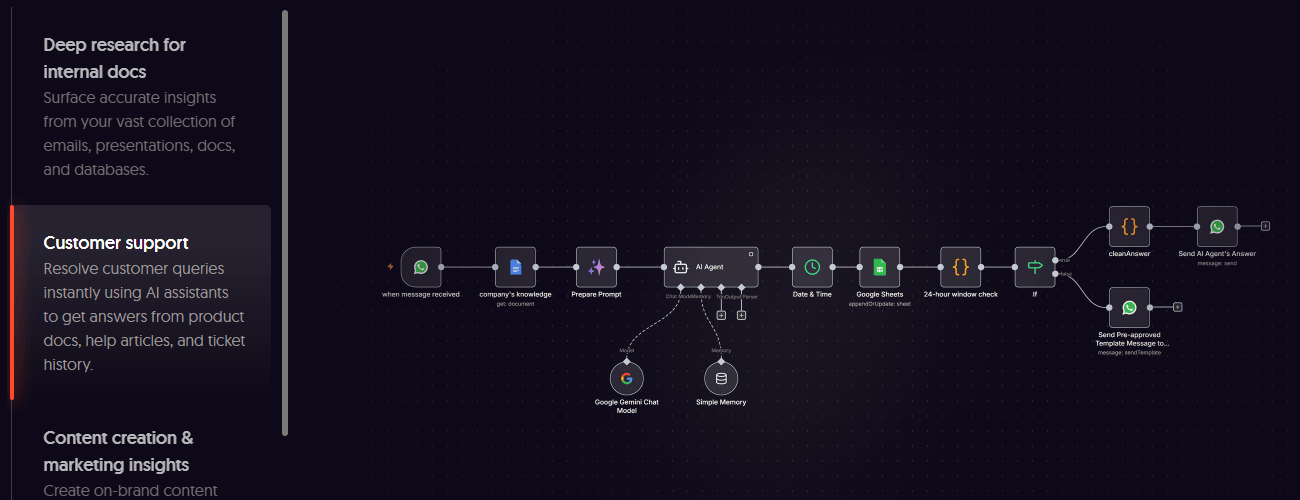
n8n is a source-available workflow automation platform built for engineering teams. It uses a visual, node-based canvas with both deterministic and agentic execution. You can self-host n8n on your own infrastructure or run it on n8n Cloud, which erases the deployment lock-in that pushes teams off Workato. Every run is visible step by step, so nothing happens inside a black box between the trigger and result.
Cost and control are another area where the platform pulls ahead. n8n's execution-based pricing counts one workflow run as a single execution no matter how many steps it holds. Every plan includes unlimited workflows and users, which is the opposite of per-task metering.
With 1000+ native integrations, a Code node for JavaScript or Python, an HTTP Request node for any API, and the option to build custom nodes, you rarely wait on a connector. Native AI nodes drive multi-agent and parallel agentic workflows, so the same tool that handles routine syncs also runs production-grade AI orchestration.
Pre-built nodes cover everyday targets like Slack and Google Sheets. Data transformation and routing nodes allow building automated workflows that branch, loop, and merge data. Code node supports advanced logic and custom libraries. Finally, the Execute command node calls internal services no managed platform would expose. The trade-off is ownership: self-hosting means you maintain the infrastructure, and non-technical users get less hand-holding than a pure no-code tool offers.
2. Make
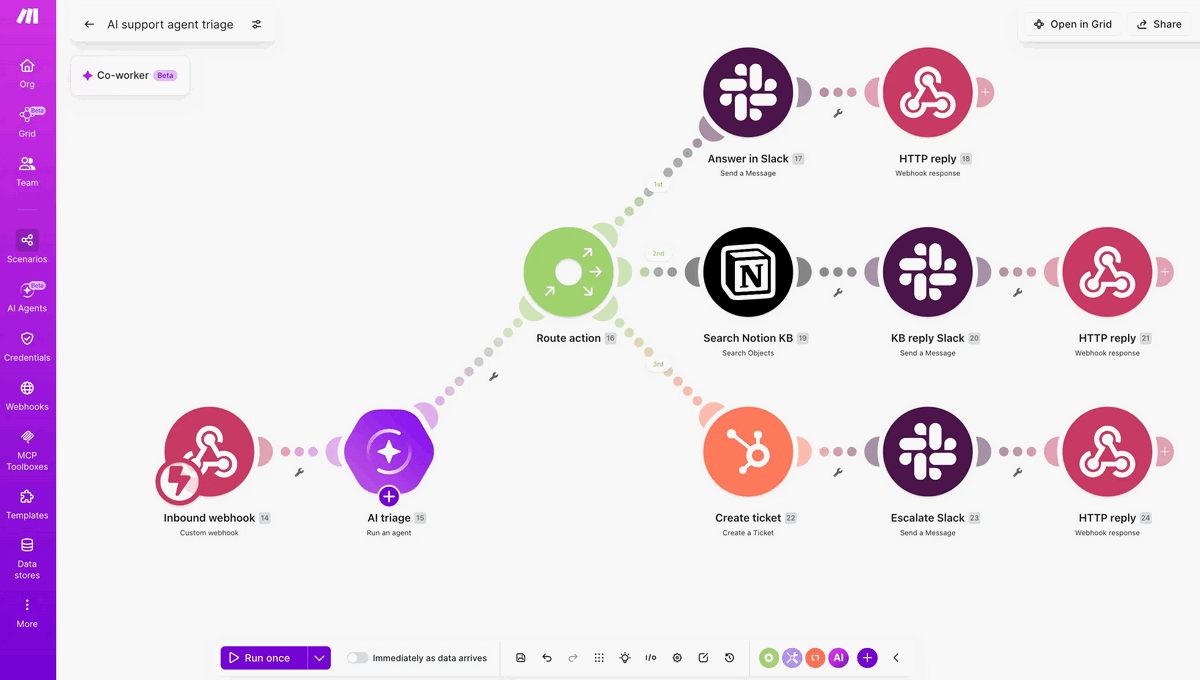
Make, formerly Integromat, is a cloud-based, visual automation tool built around a drag-and-drop scenario builder. It's a solid fit for SMBs and operations teams that want to connect apps without writing code. It's quicker to learn than Workato and far cheaper to start.
Make's operation-based pricing is transparent, but scenarios with many modules can burn through operations quickly. The platform stays cloud-only, with no self-hosting and lighter governance. It usually tops out before the compliance and scale pressures that lead teams to Workato in the first place. For straightforward SaaS-to-SaaS use cases, though, Make is one of the fastest builders to get live.
3. MuleSoft Anypoint Platform
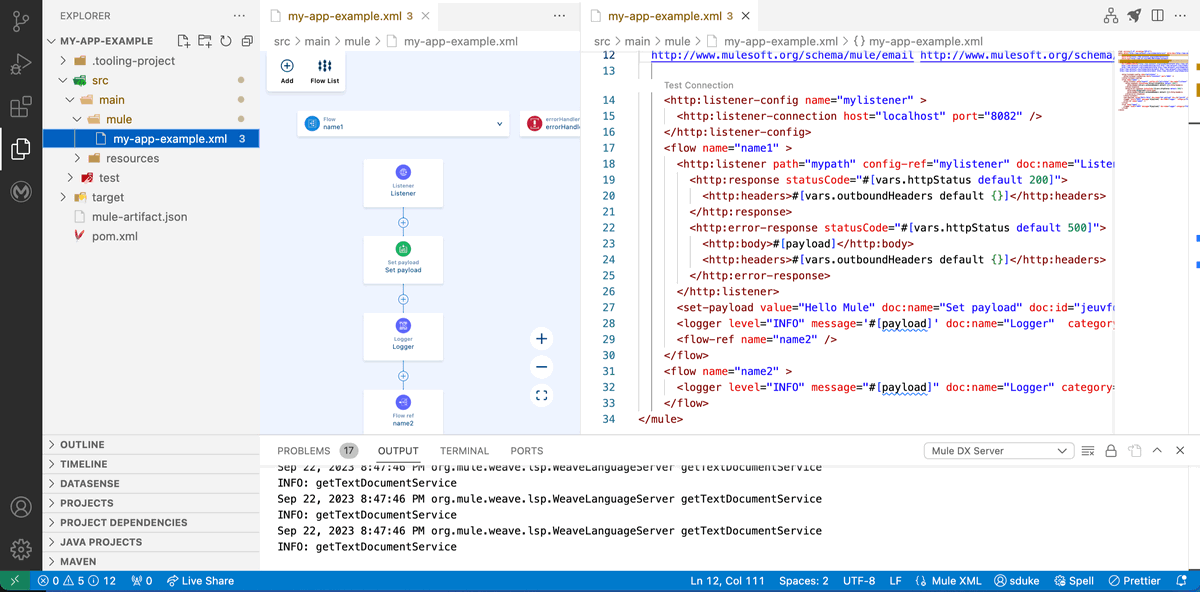
Now owned by Salesforce, MuleSoft Anypoint Platform is the heavyweight for API-led integration. It spans cloud, on-premises, and hybrid deployment. Large enterprises use MuleSoft for deep API management and orchestration across hundreds of systems.
That power carries a price: Licensing often runs into six figures. Plus, onboarding is slow, and the proprietary DataWeave language and three-layer API design demand dedicated developers.
MuleSoft outclasses Workato on API governance and Salesforce-native integration. But teams that need workflow automation rather than a full API platform will find it expensive overkill.
4. Celigo
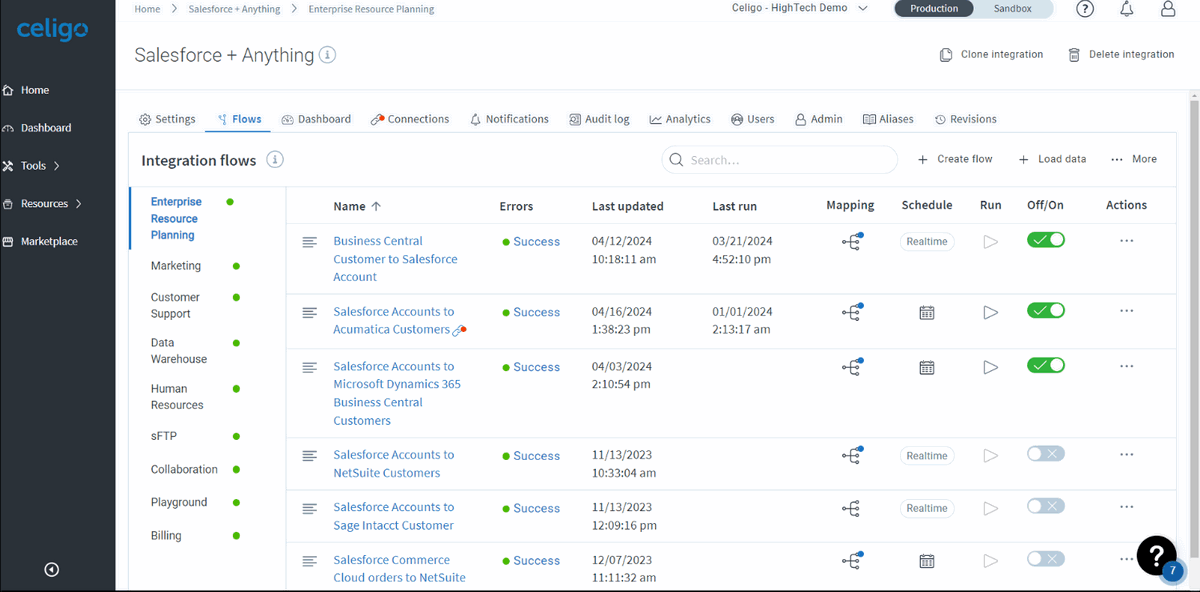
Celigo is a low-code iPaaS aimed at the mid-market. It offers AI-assisted mapping and a deep library of pre-built integration maps for common stacks like NetSuite, Shopify, and Salesforce. It's friendlier than Boomi or MuleSoft and keeps pricing more predictable, which makes it a strong fit for teams running standard SaaS combinations.
Celigo's limits surface under heavier custom logic. You get moderate extensibility rather than code-native control. And like Workato, it stays a managed cloud platform with no self-hosting option.
5. Microsoft Power Automate
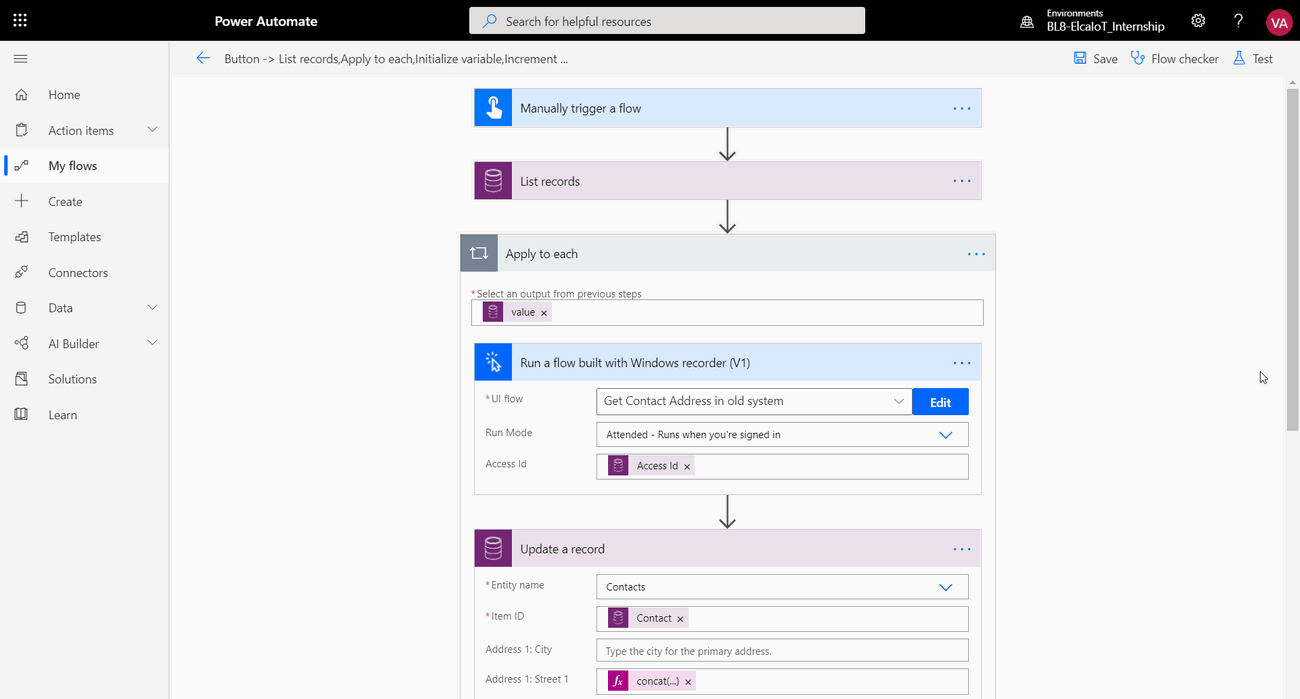
Microsoft Power Automate earns its place for organizations already living inside Microsoft 365, Dynamics 365, and Azure. It pairs cloud flows with desktop RPA and AI Builder, so it can automate both API-driven workflows and legacy interfaces that expose no API.
Pricing starts low — around $15 per user each month. But costs climb quickly: Premium connectors sit behind paid tiers, and unattended RPA bots run $150 or more apiece per month. Step outside the Microsoft ecosystem and the licensing model and connector paywalls make Power Automate a harder sell than its entry price suggests.
6. Boomi
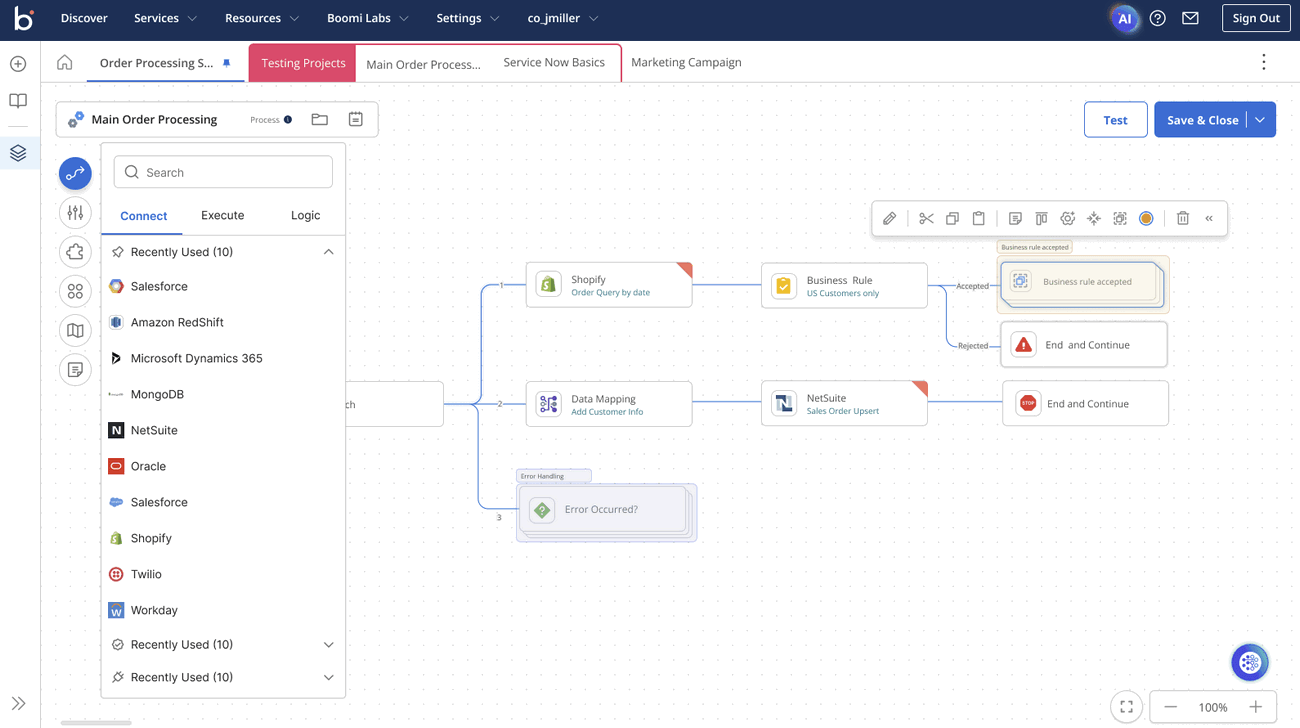
Boomi is one of the original cloud iPaaS platforms, which can execute in Boomi's cloud, on-premises, or in a cloud you own. That hybrid flexibility, combined with mature B2B and EDI support, makes it a durable choice for mid-market enterprises stitching legacy and cloud systems together.
Compared to Workato, Boomi is often cheaper for well-defined integration work. The catch is operational drag: Small changes can balloon into mini release cycles of retesting and redeployment, and its developer-centric experience feels dated beside newer builders.
Choosing the right Workato alternative
There is no single best Workato alternative. The right choice depends on how your team builds. Deployment requirements shape whether a cloud-only platform will hold you back. Operational overhead determines how much maintenance your team can absorb. Code-level extensibility decides whether complex workflows stay manageable over time.
For engineering-led teams, n8n offers flexible deployment, predictable execution-based pricing, and full code-native control for production-grade automation.
FAQ
What tool is most similar to Workato?
Among enterprise iPaaS platforms, MuleSoft and Boomi sit closest to Workato in scope. All three target large organizations with deep connector libraries, governance, and API management.
Teams that want comparable capabilities without the cost or lock-in usually land on n8n or Celigo instead. If you want Workato-style breadth with a gentler learning curve, low-code platforms are the closer match.
Which is better, Boomi or Workato?
It depends on your architecture. Boomi's connector-based pricing and hybrid deployment suit environments with EDI requirements. Workato's task-based model and polished recipe builder favor pure-cloud business process automation. Boomi is usually easier to budget, while Workato is usually faster for non-technical users to build in.
Can I migrate from Workato without rebuilding everything?
Not automatically. You can't export recipes into another platform's format, so plan to rebuild core logic. But the work is manageable because your existing triggers, actions, and data mappings already document what each workflow does. This makes re-creating them mostly mechanical. We recommend migrating automations with the highest throughput first, as the effort involved in these will pay off the fastest due to a more favorable pricing model.
Can I use Workato for free?
No. Workato has no free tier and no public pricing. Every plan is a sales-led custom quote that typically starts in the five-figure range annually. That opacity is part of why cost-conscious teams shop around. An open-source alternative to Workato you can self-host runs at little more than infrastructure cost, and several cloud tools publish pricing you can model up front. For teams that also want AI built in, n8n stands out among the AI agent frameworks developers reach for, with no licensing fee on its self-hosted edition.