

Choosing a vector database is an important decision development teams make when building AI-powered solutions. It’s a commitment, and the wrong vector store could lead to query latency and high ops overheads once your project expands.
This guide compares the best vector databases and uncovers the real work it takes to keep them running.
How to evaluate a vector database: Key decision criteria
When reviewing vector databases, many teams focus on storage, but it’s not the only thing to consider. Vector DB scalability, LLM compatibility, and data location speed should also be high on the priority list. An effective database also understands semantic search, i.e. recognizing the intent behind a search query rather than superficial language. All of these elements make up an AI agent that stays fast and functional as you add more users and more data chunks .
Here are some features developers building RAG pipelines should keep in mind:
- Scalability limits and index design: Your choice of approximate nearest neighbor (ANN) algorithms, like hierarchical navigable small world (HNSW) or inverted file (IVF), changes the balance between speed and accuracy. For example, HNSW is fast and effective for complex and high dimensional searches, but it uses more memory. Teams need to plan for growth before AI applications slow down in production.
- Metadata filtering design: A good vector store handles rich JSON filtering without crashing. If the system can’t filter data before the vector search starts, you end up with query latency that shows up as slow AI.
- Write-to-search-speed: Latency and accuracy are the two most important metrics in a live app. You need to know how long it takes for new vector embeddings to appear in searches so that your knowledge base stays up to date.
Without these criteria, even well-designed models and infrastructure struggle to keep up once you start automating and scaling.
10 best vector databases compared
Before you start comparing vector search and database tools, it’s worth knowing what you need and what’s compatible with your existing infrastructure. Some companies offer managed services that do the work for you, while others are open source and offer more custom options and data control.
Here’s a summary of the main features to consider and how each tool compares.
Here’s a closer look at 10 options worth knowing and the best use cases or users for each.
Pinecone
Best for: Teams who want to start quickly and without managing their own hardware
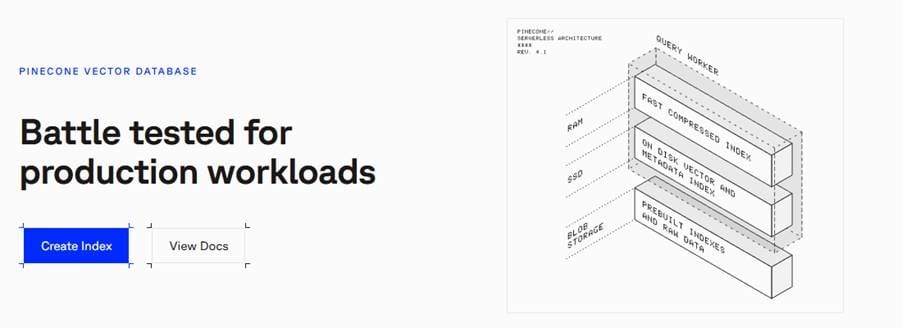
Pinecone vector database is a top choice because it’s fully managed in the cloud. That means you don’t need to worry about fixing or maintaining servers. But because Pinecone is a fully managed system, you don’t have the same level of control or customization that you would with a locally-run tool.
Milvus
Best for: Corporations with billions of data points and expert teams
Zilliz built the Milvus vector database to handle complex tasks for companies running massive projects. It’s very powerful and designed for large, distributed deployments, but self‑managed Milvus on Kubernetes involves multiple components and can be complex to operate without solid infrastructure expertise.
Weaviate
Best for: Developers making complex apps that need different search options

This open-source vector database lets you search using both vectors and regular keywords simultaneously. Weaviate even has AI models built in to help you turn data into searchable vectors (vectorization). The downside is that, like other HNSW‑based systems, you’ll need to tune index parameters and cluster size to balance speed and memory usage at scale.
Qdrant
Best for: Very fast vector search systems that need to filter data quickly
If you’re building a vector database for RAG, then Qdrant is a great pick. That’s because its engine is written in Rust, which engineers generally prefer for fast and efficient searching. The tradeoff is that its ecosystem is newer and smaller than Postgres or Elasticsearch, so you’ll find fewer third‑party plugins and community examples.
pgvector
Best for: Small to or medium-sized projects already using PostgreSQL/Postgres
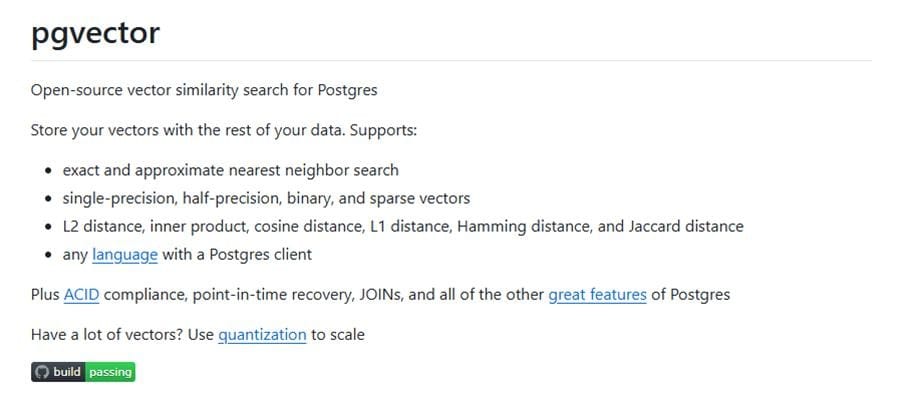
Some might argue that this is just an add-on for the famous Postgres database, but pgvector lets you store vectors alongside regular information. It’s reliable and keeps all of your databases in a central location. pgvector is great when you want vector search inside an existing Postgres stack, but it’s not optimized for very large, high‑throughput vector workloads compared to dedicated vector databases.
Chroma
Best for: Testing new ideas, developing prototypes, and building apps on your own computer

Chroma is a straightforward tool for developers who want to build something on their own devices. It’s easy to use and only requires a few minutes of setup. However, the default local/single‑node setup is geared toward smaller workloads; for large-scale production you’d typically move to a distributed Chroma deployment or another vector database.
Redis
Best for: Smaller apps that need to find answers in a fraction of a second

Redis lets its users find information fast. It achieves low latency by keeping vector data in memory, which can become expensive as your dataset grows, especially if everything must fit in RAM for optimal performance.
Elasticsearch
Best for: Enterprise teams needing to combine traditional keyword search with vector retrieval
Elasticsearch adds vector capabilities to its world-class text-based engine, making it a powerhouse for hybrid search workloads. However, it’s resource-heavy and hard to tune. Teams often need to invest in expertise and hardware to prevent high memory consumption from slowing down their primary search clusters.
SingleStore
Best for: Enterprise-grade real-time analytics involving both relational and vector data
SingleStore is a distributed SQL database that handles both transactional and vector data in a single, unified engine. The main downside for simple vector‑only workloads is that its enterprise‑grade licensing and cost model can be excessive compared to lighter OSS vector databases.
Faiss
Best for: Research and offline batch processing of massive vector collections
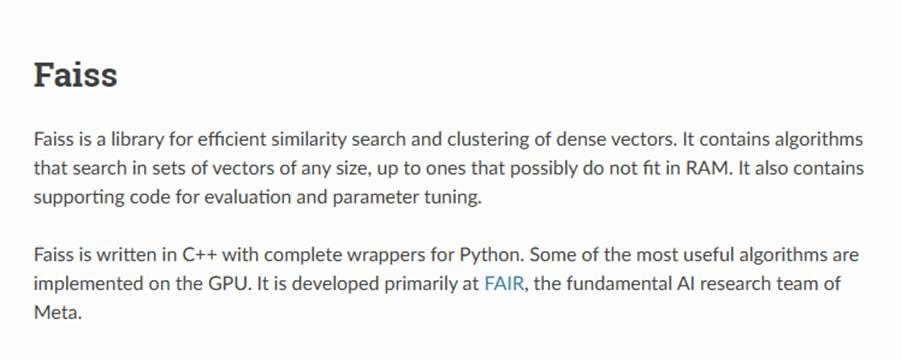
Meta developed Faiss for efficient similarity search and clustering of dense vectors. While it is fast, most data engineers would argue it’s more of a library than a full vector database. It lacks many essential features like storage management, replication, and a built-in API layer.
Connecting your vector database to an automation pipeline with n8n
While a vector store holds your data, it can’t move that data by itself. n8n is a workflow automation platform that acts as the orchestration layer on top of your vector database — connecting ingestion, chunking, embedding, and retrieval into a single visual pipeline.
n8n handles the labor-intensive and compute-heavy tasks like ingestion, chunking, and embedding. That means your team can avoid writing complex code. Instead, focus on building out the steps for your composable workflow that connects your apps to your AI model.
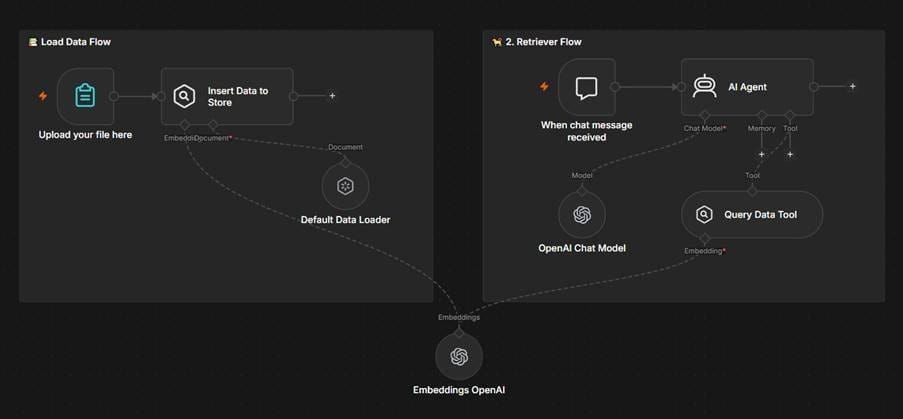
You don’t need to build these connections from scratch. n8n has native codes for popular tools like Pinecone, Qdrant, Weaviate, and Supabase, and with cluster node architecture, you can swap out embedding models in seconds. Try out new models and strategies without rewiring your entire LLM or RAG pipeline.
Once the vector store is ready, the AI agent node treats your store as a tool for agentic retrieval workflows, letting the AI decide exactly when to look up information versus using other methods. You are not limited only to agentic use-cases when working with vector stores. Nodes like Qdrant also work independently, meaning that you can query the database and present the retrieved chunks directly to the user. This turns vector stores into semantic search engines — a useful feature when searching across huge corporate document libraries.
Future-proof your AI pipelines
Figuring out which vector database best meets your needs is a tough task. You need to consider your current stack, future goals, and team strengths and limitations. The best vector database matches include:
- Pgvector for PostreSQL environments
- Pinecone for a managed and zero-ops solution
- Qdrant and Weaviate for self-hosted needs
- Milvus for billion-vector scaling
- Chroma for local dev teams