



Compliance automation software replaces the manual end of regulatory work: the spreadsheets, periodic check-ins, and audit prep that takes weeks of your team’s time. Instead, the platform automatically tracks security controls in real time and produces the evidence on its own.
In this guide, learn how compliance automation software works and which tools might be the best for your team.
Types of compliance automation software
Most teams run compliance software alongside their existing stack rather than as a single product. That means the right tools integrate with the system categories that compliance teams already use.
Three categories cover most of the compliance management landscape:
- Governance, risk, and compliance (GRC) platforms include cyber risk management tools that handle frameworks, controls, and audit workflows. GRC automation sits at the center of most enterprise deployments.
- Risk assessment platforms quantify exposure and prioritize remediation against business impact.
- Data management platforms control where regulated data lives and who can access it.
How compliance automation software works
The compliance sequence is similar across different regulators, including System and Organization Controls (SOC) 2, General Data Protection Regulation (GDPR), and Payment Card Industry Data Security Standard (PCI DSS). Here’s the general automation workflow:
- Map regulations to internal controls: The team picks the frameworks, and the compliance platform translates each requirement into specific technical checks against the live environment.
- Integrate business systems: APIs and connectors pull data from cloud providers, identity tools, and code repositories so the platform sees the actual state of infrastructure.
- Collect evidence automatically: Scheduled jobs capture screenshots, logs, configuration snapshots, and approval records on a defined cadence.
- Trigger automated alerts and remediation: When a control drifts out of compliance, alerts fire and proactive remediation kicks off through pre-built playbooks.
The result is continuous monitoring instead of point-in-time audits, creating trails that leaders and auditors can verify on demand.
What to look for in compliance automation software
The compliance software market is pretty crowded, and most platforms have the same surface features. The distinctions that matter show up later, once the audit gets specific.
Here are the most important features most software includes.
Framework and regulatory coverage
For any framework, coverage depth is more important than breadth. A platform that supports 40 frameworks but ships shallow templates for the Health Insurance Portability and Accountability Act (HIPAA) costs more hours than one with 10 well-mapped frameworks. Also make sure evidence collection is pre-built for the specific regulatory controls your auditors might request, or else your team will still be assembling artifacts by hand on audit eve.
Evidence collection and audit trails
Continuous evidence collection is the central technical promise. Look for platforms that pull evidence directly from production via API rather than relying on manual uploads.
Audit trails should also be tamper-resistant, exportable in formats auditors recognize, and queryable across multi-year windows. If the audit trail itself lives on a vendor cloud the team can’t see, that’s a problem.
Integration layer and extensibility
The integration layer determines whether the platform fits the environment or forces the environment to fit the platform. Pre-built connectors to AWS, GitHub, and Okta cover the common cases, while APIs and webhook support cover everything else. Platforms with only a fixed connector list eventually leave gaps the team fills by hand, defeating the point of compliance workflow automation.
Scalability and pricing model
Compliance posture changes when the company adds a region, ships a new product, or signs a customer that demands fresh controls. Software should be realistically scalable so you don’t have to adjust your whole system every time you grow.
Pricing models matter here. Per-user pricing punishes growth, per-control pricing punishes framework expansion, and platform fees with usage caps trap teams in renegotiations. The same pricing traps reappear in the workflow automation layer, which is why evaluation criteria need to extend past the compliance platform itself.
5 best compliance automation tools
Here’s a quick guide to top compliance automation platforms and what they each do best.
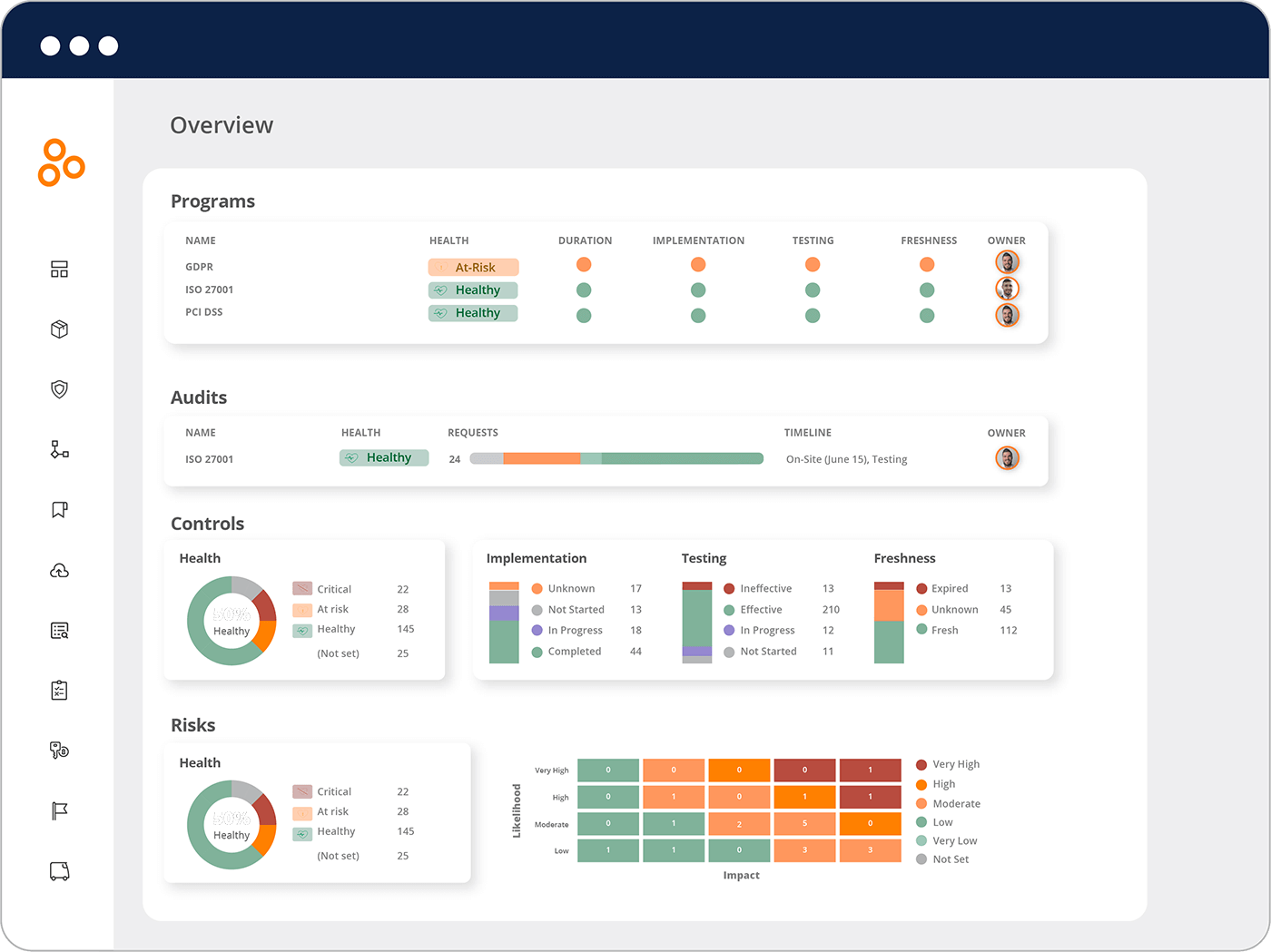
Vanta
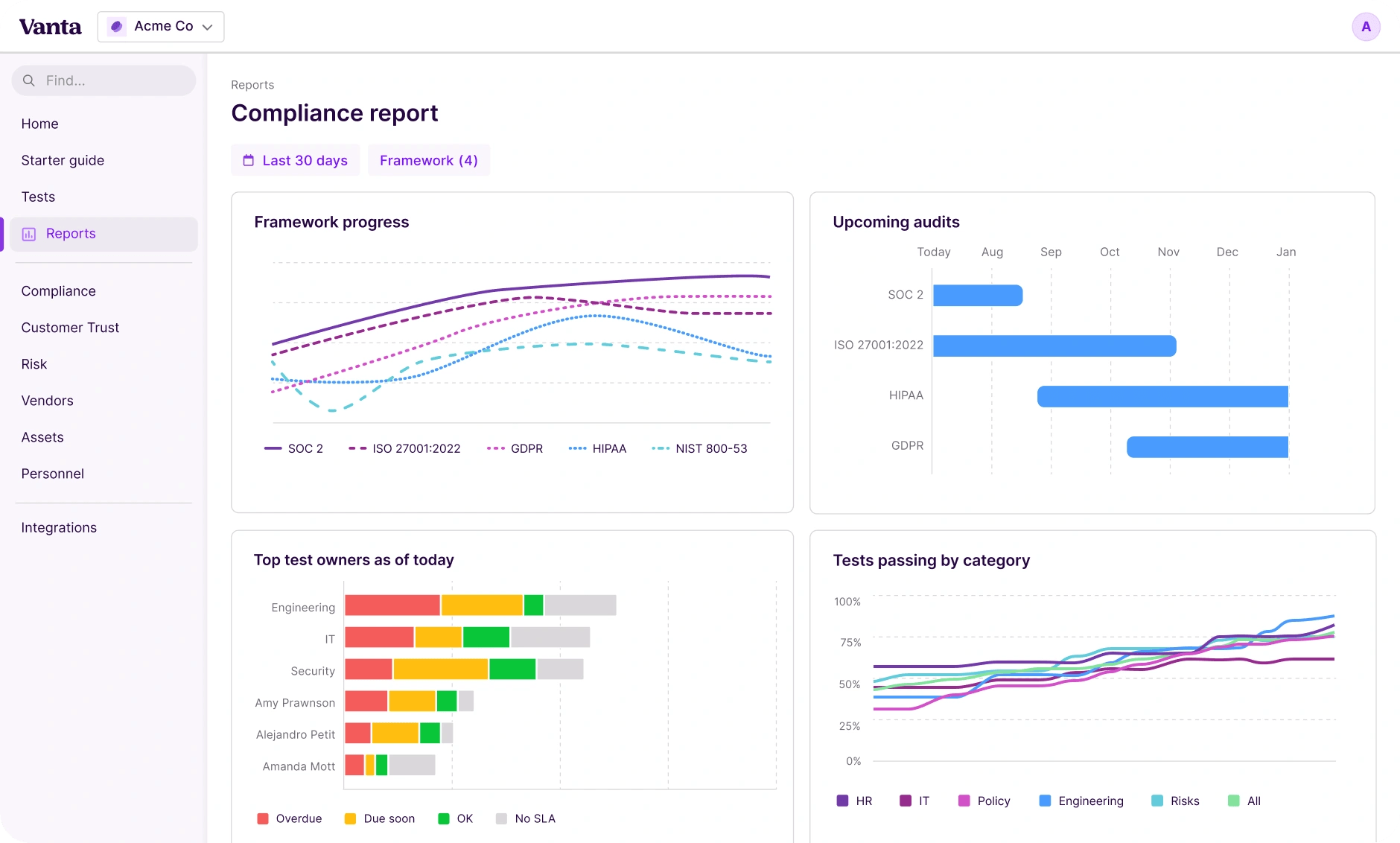
Vanta is the dominant SOC 2 automation platform, particularly for early- and mid-stage startups. It excels with continuous monitoring, evidence collection, and integrations. But once teams need custom control logic or want to host their own audit trail, Vanta falls short, because it’s mostly for continuous monitoring.
Drata
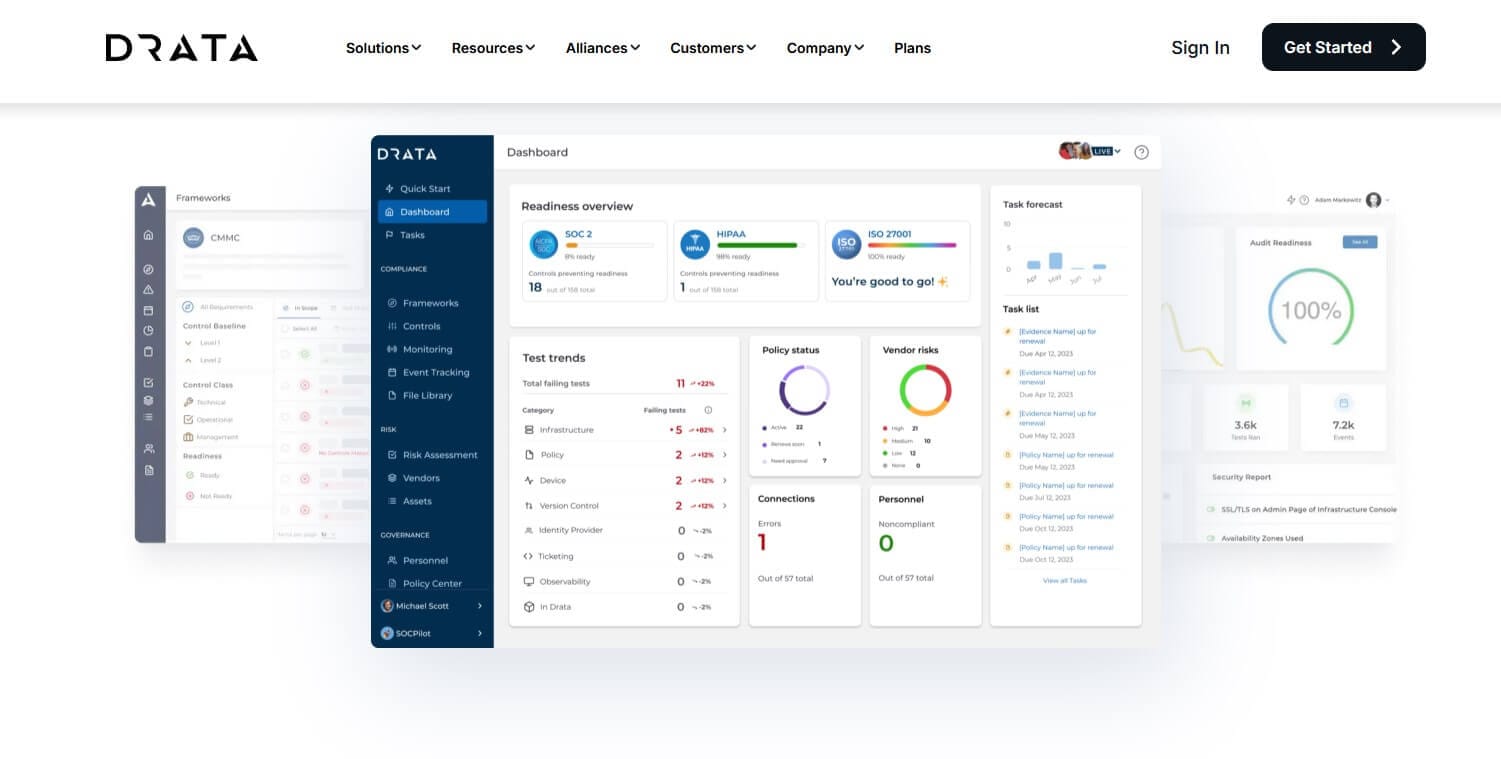
Drata competes directly with Vanta and overlaps on most core functionality. Its strength is its UX and built-in automated risk assessment workflows. Teams comparing the two usually pick based on integration coverage for their specific stack, not on a meaningful feature gap.
Secureframe
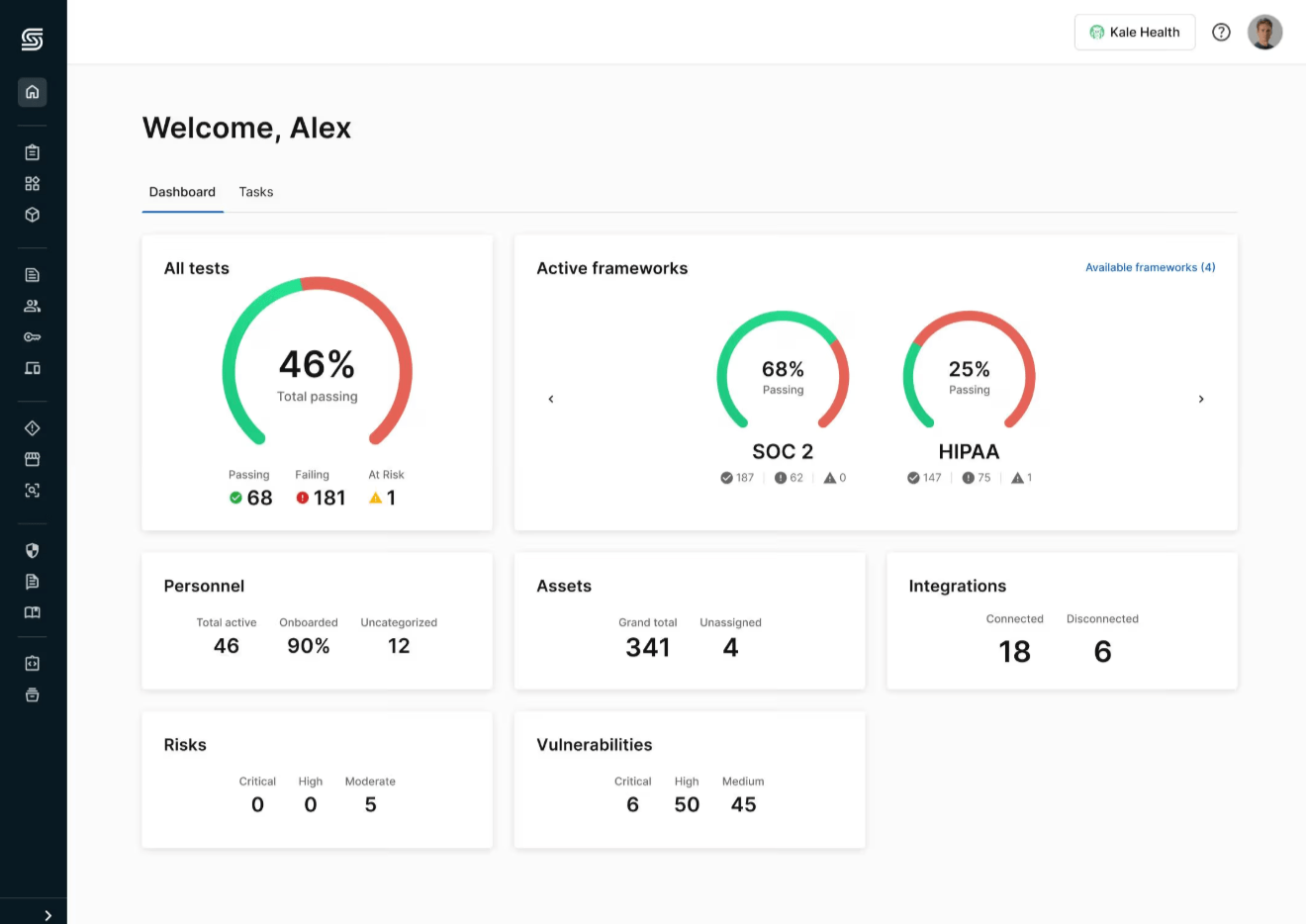
Secureframe is a strong option for teams pursuing multiple frameworks in parallel, like SOC 2, ISO/IEC 27001, and PCI DSS. Its dense control mapping is useful when the same evidence has to support several audits at once. Implementation services come bundled, which both helps and adds cost.
Hyperproof
Hyperproof is built for larger organizations with mature GRC programs. It orchestrates audits, risk assessments, and policy enforcement across multiple business units rather than just generating SOC 2 evidence. The product is less plug-and-play, but it scales further than the startup-focused alternatives.
n8n
n8n goes a layer deeper than these platforms. Self-hosted and source-available, n8n keeps sensitive audit logs and access records on infrastructure the team owns. Then it connects the chosen platform to everything else via over 1,000 integrations and AI agent nodes.
n8n isn’t a dedicated GRC platform, but it can help you build the frameworks for one. It’s the programmable layer that connects your GRC stack, automates different AI workflows, and collects and keeps data on your infrastructure.
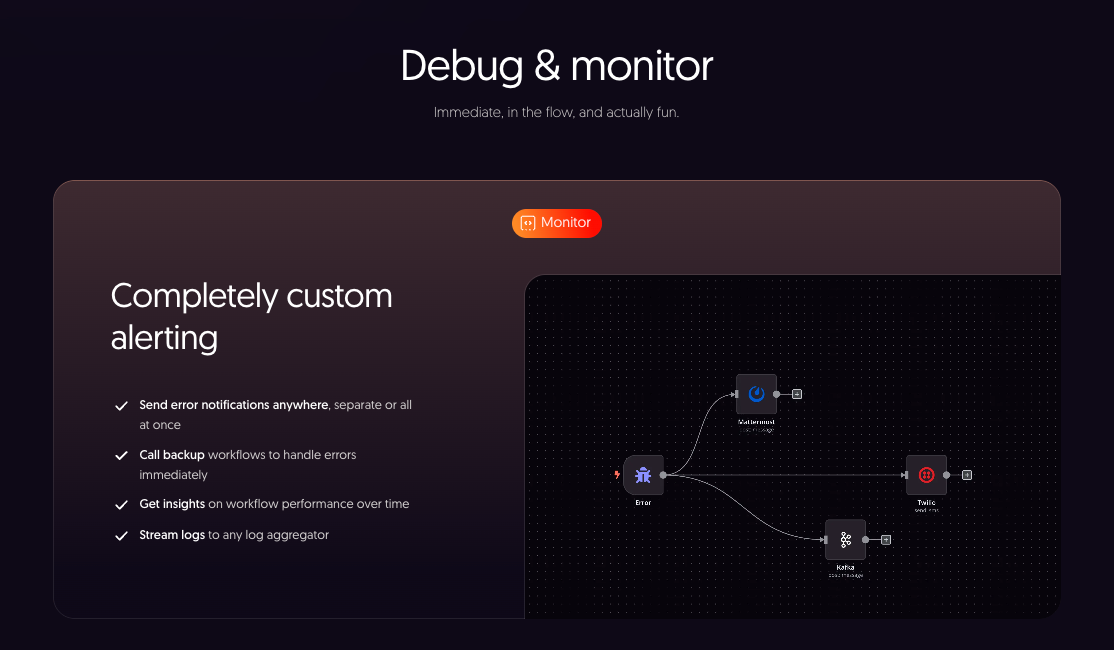
For regulated industries where data residency is mandatory, n8n’s complex controls give teams considerably more authority over their own automated compliance monitoring and other processes.
Key use cases for compliance automation
Three patterns cover most of what teams automate, regardless of which platform sits at the center.
Automated evidence collection and audits
Every SOC 2 or ISO 27001 audit requires hundreds of artifacts — multi-factor authentication (MFA) configuration screenshots, access review exports, and change management approvals, just to name a few. Scheduled jobs collect these on cadence and store them with the timestamps and formatting auditors expect.
n8n’s scheduled triggers extend the same pattern to systems that dedicated platforms don’t cover natively, including legal document review pipelines that pull contract clauses into the same audit trail. This means more options and better compliance coverage.
Continuous monitoring and risk assessment
Real-time control drift detection catches breaks before they become audit findings. Catch configuration changes, a new admin account outside the access review, or even a misconfigured S3 bucket the moment it happens, not during quarterly reviews.
n8n’s webhook triggers sit between detection systems and ticketing platforms, routing risk assessments to the right owner. Experience full audit logging and the same wiring that appears in automated incident response playbooks.
Data privacy compliance
GDPR data subject requests and HIPAA right-of-access requests carry strict regulatory time limits. Manual handling rarely scales. Automation catches the inbound request, classifies it as access or erasure, and logs every step for auditors.
n8n’s GDPR workflow wires Gmail, AI classification, Supabase, and audit logging into a single pipeline that completes within the regulatory deadline.
How to build compliance workflow automation with n8n
Compliance teams can’t always trust black-box SaaS with sensitive evidence and audit logs. When information is stored in a vendor cloud with no visibility, the team is renting its compliance posture, not owning or controlling it.
n8n inverts that model the same way its SOAR templates do for incident response: Every credential, log, and integration runs on infrastructure the organization owns. Here’s what n8n can do:
- Connect existing compliance tools: With more than 1000 integrations across cloud providers, identity systems, and ticketing platforms, n8n wires the chosen GRC platform into the rest of the stack without custom code.
- Build custom audit-log and alerting workflows: Webhooks trigger fire from any system emitting events, condition nodes route by severity and asset class, and every action writes to a custom audit trail.
- Use AI agent nodes for intelligent document processing: AI agents inside workflows classify inbound compliance requests, extract obligations from contracts, and summarize policy changes. And when self-hosted, n8n’s model calls stay safely on owned infrastructure.
- Self-host for sensitive regulated data: Vendor lock-in is a compliance risk in itself. Self-hosted n8n keeps evidence, credentials, and audit trails on the team's own servers, making audit-proof automation possible without needing to trust another vendor's cloud.
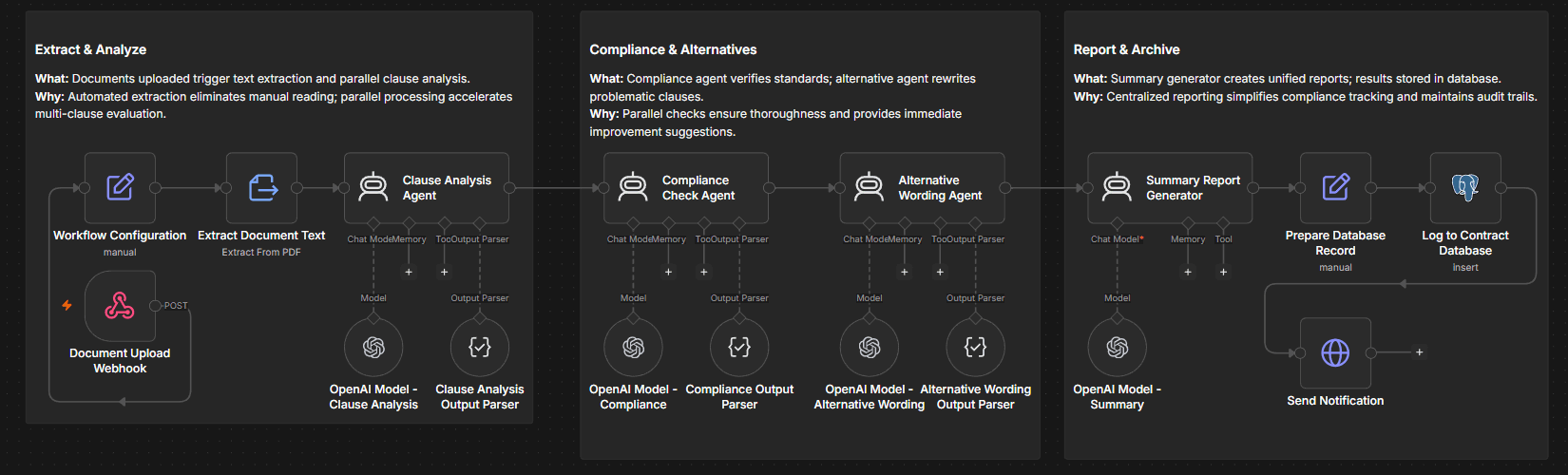
The same workflow patterns extend to onboarding, access reviews, and incident handling across the broader IT ops automation library. Compliance teams can adopt n8n’s systems without rewriting from scratch.
Streamline compliance for an audit-proof process
In modern security environments, compliance automation is about more than just saving time. Teams need to know who controls the audit trail, the evidence store, and the workflow logic. With static SaaS platforms, the vendor takes charge of all of these elements — but n8n gives them back to you.
With a flexible orchestration layer, you can keep the evidence, credentials, and audit trail on infrastructure the organization owns. That’s the foundation of audit-proof regulatory compliance automation.