
A process orchestration tool runs an entire business’s processes. It coordinates each step across systems, AI agents, and people rather than automating tasks in isolation.
Many teams think about process automation as a synonym to process orchestration. But there are differences. Process automation refers to smaller, isolated tasks, like invoice generation or help desk ticket resolution. Orchestration usually combines several automated workflows within a larger business process. For example, onboarding might involve multiple automations and even human intervention.
Process orchestration tools let you build that layer without writing a custom scheduler.
Core capabilities to look for in a process orchestration tool
There’s a gap between what vendors put on their features pages and what actual users need. If a platform doesn’t have all necessary these capabilities, you risk adding up additional tools, which is the opposite of why an orchestration tool is needed in the first place. Look for the following important features:
- Integration flexibility: Native connectors for your top systems plus a generic HTTP/REST connector for everything else. If you depend on a niche internal API, you need a way in. Operational platforms that lock you into a vendor's partner catalog leave you filing support tickets every time a new system joins the stack.
- Coordination logic: Conditional branching, loops, modular automations, and error-handling paths. These mechanics allow reproducing real business processes (unlike simple “if this then that” engines) and provide fallbacks in case something works not as intended.
- Visibility and monitoring: Real-time execution logs with version history, and replayable runs. A proper system should allow you to quickly answer questions like “what happened on this run, in this step, with this payload?”
- AI guardrails: Human-in-the-loop approval, structured outputs, and tool-use. Letting an agent execute high-stakes actions without an approval gate erodes trust and often leads to business consequences (i.e. unintended refunds).. In Camunda’s 2025 survey, 93% of 800 IT leaders agree that AI must be orchestrated like any other endpoint.
- Security and auditability: SSO with role-based access, secret management, and immutable audit trails. Operational compliance will ask for these on day one; retrofitting leads to extra costs and compliance findings.
- Deployment flexibility: Cloud, self-hosted, or hybrid. Self-hosting matters for data residency or regulated workloads. Ideally, you shouldn’t have to route protected data through a vendor's multi-tenant cloud.
Best process orchestration tools
The tools below span process orchestration software from developer-first workflow engines to enterprise BPM suites. Whether a tool fits, depends on your team's technical depth, compliance requirements and how many systems you need to wire together. Here’s a quick summary of orchestration solutions:
n8n
n8n is a developer-first workflow and orchestration platform that pairs visual building with native code execution. It’s one of the few platforms that offers flexibility for users of different experience and the automation patterns (classical iPaaS, workflow coordination etc.) n8n supports full data sovereignty with the self-hosted installation (no separate local workers that still rely on proprietary cloud)
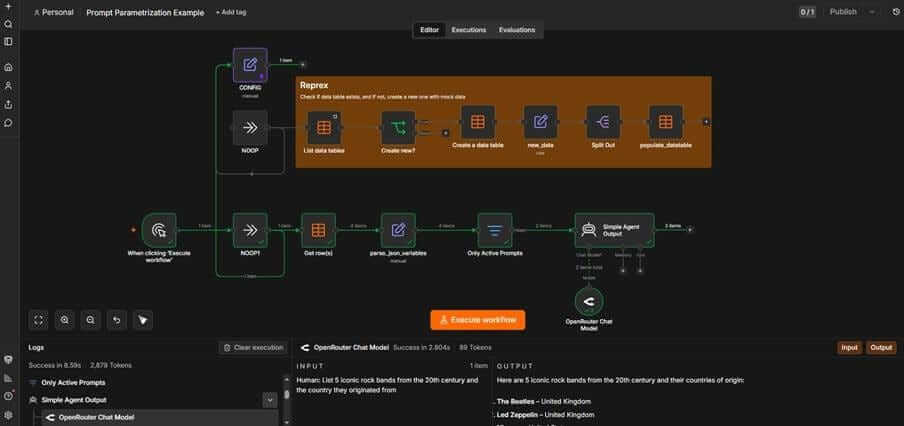
- Strengths: 1,000+ native integrations plus an HTTP Request node for any REST API; conditional branching merges, loops – most data operations are supported. Several retry and fallback strategies allow building resilient automations. You also get native JavaScript and Python nodes, AI Agent nodes built on LangChain, and human-in-the-loop approval gates with full execution history.
- Best fit: Technical teams who want low-code speed without surrendering control.
- Main limitation: The visual builder is functional but still requires a certain understanding of basic data structures, JSON references, and expression syntax to get past simple workflows.
Camunda
Camunda is the long-running standard for business process management (BPM) built on BPMN. It's designed for engineers who want their formal models to execute exactly as drawn. Camunda was originally an open-source project, but it later switched to the proprietary Camunda License 1.0, which imposes certain restrictions on component availability and deployment in production environments.
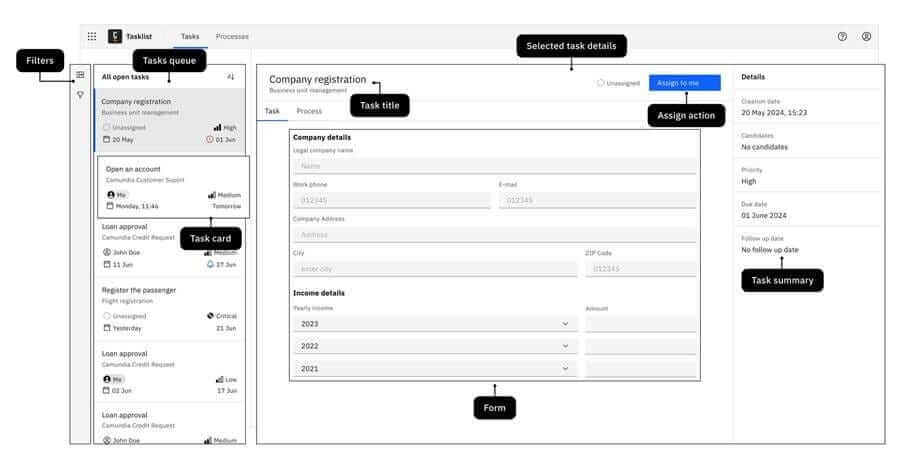
- Strengths: Full BPMN 2.0 and DMN support, strong audit posture, and a scalable execution engine for high-volume work.
- Best fit: Regulated enterprises with formal modeling practices.
- Main limitation: If your team doesn’t already think in BPMN, the learning curve before the first useful workflow is steep.
Appian
Appian is a full low-code business process orchestration software. Rather than a pure workflow engine, it’s more an application builder.
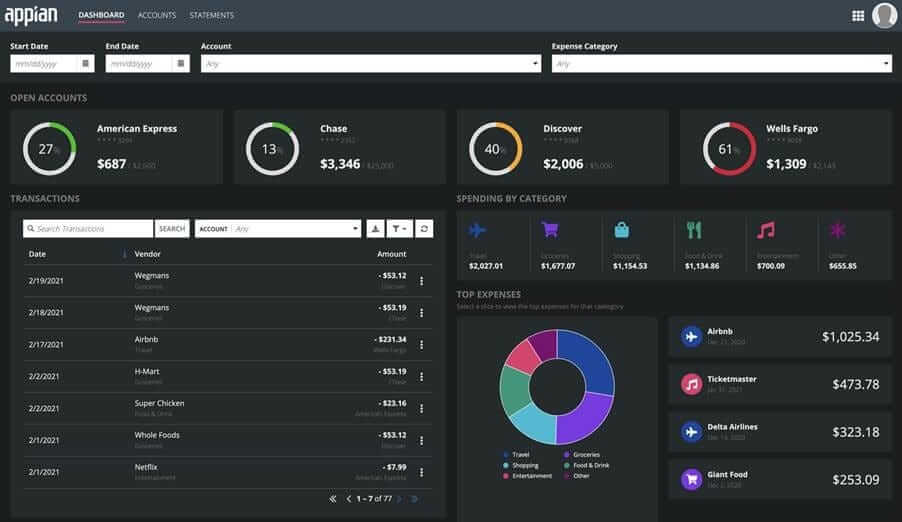
- Strengths: Combines operational case management, data fabric, and intelligent document processing. Newer releases add AI features.
- Best fit: Enterprises building custom internal apps with process logic at the core.
- Main limitation: Licensing costs scale rather steeply. Appian apps are written via proprietary SAIL interface framework and can’t be ported.
Microsoft Power Automate
Power Automate is offered by default when using Microsoft ecosystem. It connects seamlessly with several products, like SharePoint, Microsoft 365, Dynamics, and Azure.
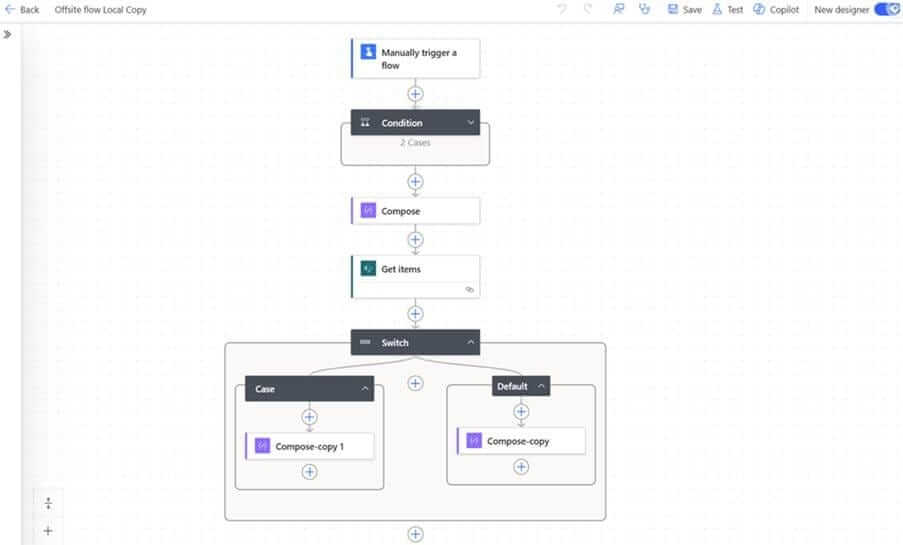
- Strengths: RPA through Power Automate Desktop, AI Builder for document processing, and Copilot for natural-language flow building.
- Best fit: Organizations standardized on Microsoft.
- Main limitation: Hard to get an overview when business users spin up hundreds of flows. Complex loops, error handling, and conditional branching require diving into complex UI for building expressions or switching entirely to Power Automate Desktop scripts.
Pega
Pega is an established enterprise BPM platform. It’s built for organizations with a dedicated process automation team.
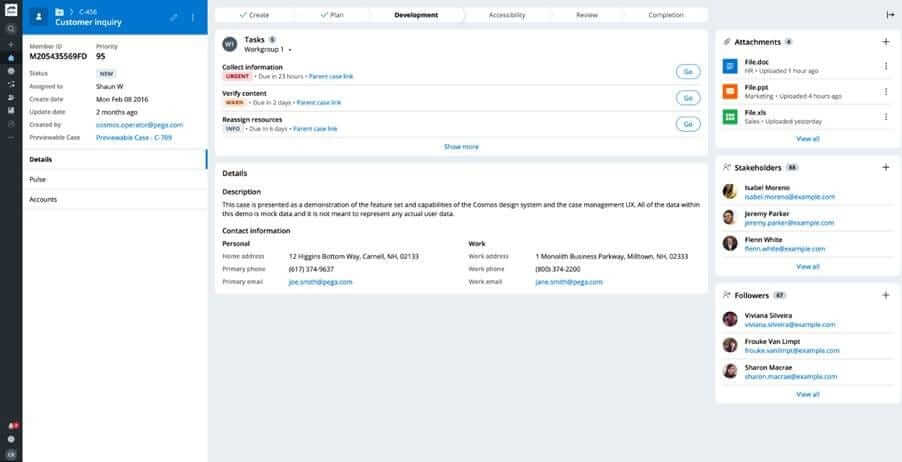
- Strengths: AI-driven decision-making, mature case management, broad enterprise coverage.
- Best fit: Regulated enterprises where decisioning logic is itself a competitive moat.
- Main limitation: Enterprise-grade licensing and long implementation cycles price out everyone else.
Temporal
Temporal is code-first orchestration engine. Its Web UI offers an instance overview with no visual canvas or drag-and-drop designer.
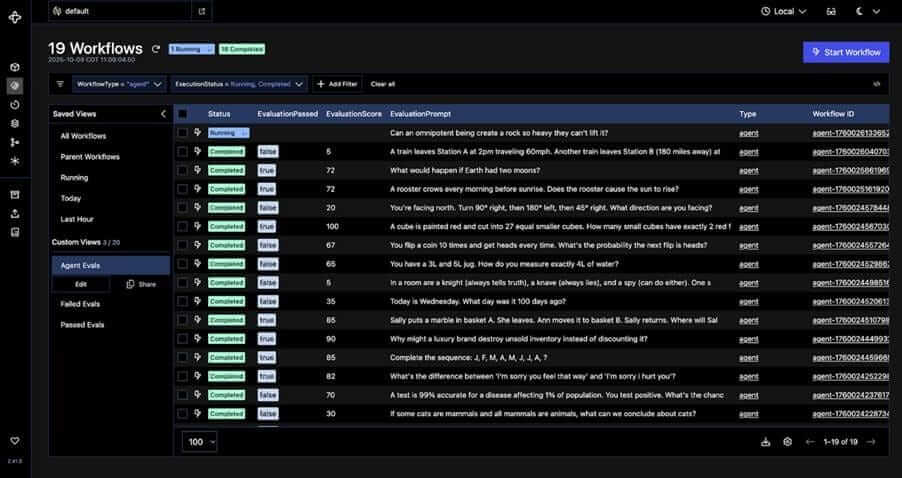
- Strengths: Durable execution with event-sourced replay, first-class SDKs in Go, Java, and TypeScript (with Python and others available), and time-travel debugging for long-running workflows.
- Best fit: Engineering teams orchestrating microservices and background jobs at scale.
- Main limitation: Non-engineers can’t inspect or modify the flow themselves.
Salesforce Flow
Salesforce Flow is Salesforce’s native process automation layer. It runs on the SalesForce data model, and it inherits the platform’s permissions, audit history, and reporting without extra integration work.
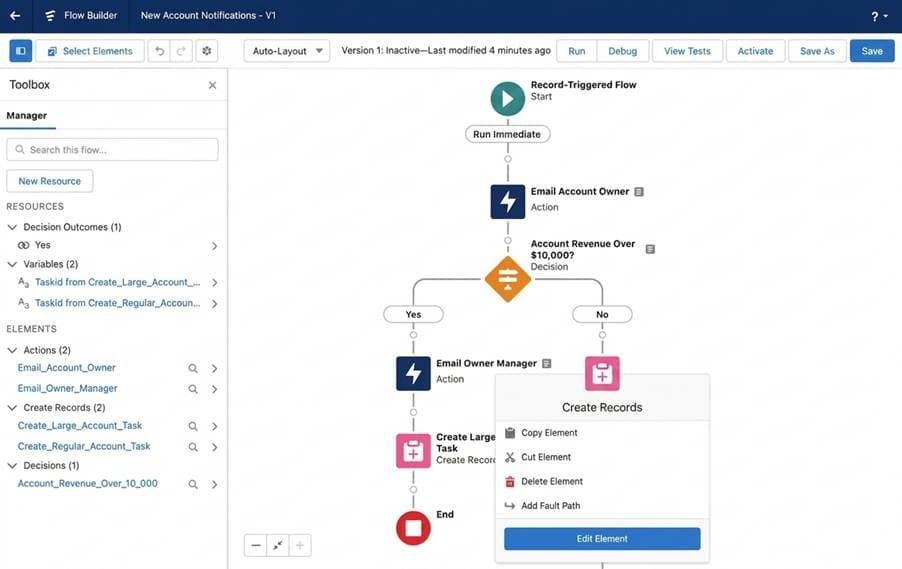
- Strengths: Deep integration, 900+ pre-built workflow templates via AppExchange, growing AI through Einstein.
- Best fit: Salesforce-centric orchestration.
- Main limitation: Integrations outside the Salesforce ecosystem are possible only via MuleSoft or generic API connector.
Choosing the right platform matters
Picking an orchestration platform is a decision you can’t easily reverse. Once the users are trained and processes automated — switching costs are rather high. If an orchestration platform is not flexible or convenient enough, teams often rely on workaround solutions or struggle with its limitations.
Three most important features of any process orchestration platform: coordination logic that handles real complexity, end-to-end visibility with compliance-grade audit trails, and deployment flexibility for regulated environments. This is what Forrester now calls adaptive process orchestration — where AI agents meet control flows.
n8n supports all three. Native nodes and AI Agent nodes handle real complexity; full execution history delivers visibility and audit; Docker/Kubernetes self-hosting handles regulated workloads — all without enterprise BPM licensing weight or lock-in. For teams who want orchestration they can own, it's worth shortlisting first. Start building on n8n to keep workflow logic, the integrations, and the deployment under your own roof.
FAQ
What does process orchestration mean, and how is it different from automation?
Process automation handles individual tasks, such as sending an email when a form is submitted and copying data between two systems. Orchestration coordinates many tasks within a single business process.
How do workflow orchestration tools improve team collaboration?
They replace undocumented routing rules with shared, visible workflows. Engineering, operations, and compliance see the same diagram and execution history. Sub-workflows let teams own their piece of a process; approvals turn handoffs into auditable steps instead of Slack threads no one can find a week later.
Can I use multiple orchestration platforms?
You can, but splitting orchestration across platforms duplicates governance, fragments visibility, and creates more glue code than the original problem. Consolidating into one platform reverses each of those problems: Governance lives in one place, visibility spans every workflow, and the glue code disappears.