

Describe what you want from Claude, ChatGPT, or your IDE, and get a ready-to-run workflow in a few minutes, built directly in n8n. No more copy-paste, no more back-and-forth.
n8n's MCP server can now build workflows from a prompt
(and not just run them)!
The MCP server has been around for a few months, but previously you could only execute existing workflows. Now you can build new ones from scratch and update existing ones, directly in your n8n instance.
- Go from prompt to a ready-to-run workflow.
Tell your AI client what you want. It builds the workflow, validates it, runs it, and fixes itself if something breaks. No messing with JSON files or copy-pasting errors. - Works in whatever AI client you already use.
Claude, ChatGPT, Cursor, Windsurf - if it “speaks” MCP, you can point it at n8n. No new tool to learn, no context-switching. - First-party, native, and available to all.
Built into every edition of n8n: Cloud, Enterprise, and the free self-hosted Community Edition. Maintained by n8n, no third-party service to run alongside your instance.
It's been in public preview for the past few weeks and the n8n team already uses it daily. We can't wait for you to try it out.
Note: This article is about the MCP server built into n8n, not the MCP Server Trigger node. The former lets external AI clients connect to your entire instance. The latter exposes a single workflow as an MCP server.
Official Announcement for the n8n MCP Server Update to Create and Update Workflows
Using it: a real example
Here’s what it looks like end-to-end, with a simple workflow I built to test it out, using Claude Desktop (Chat) and Opus 4.6.
Just tell it what you want it to build:
"I want you to create an n8n workflow that once a day at 7am sends me an email with today's forecast. Use my gmail account to send it. I live in New York city. Put the workflow in the MCP Server testing project."
After a few minutes, this is what I got back:
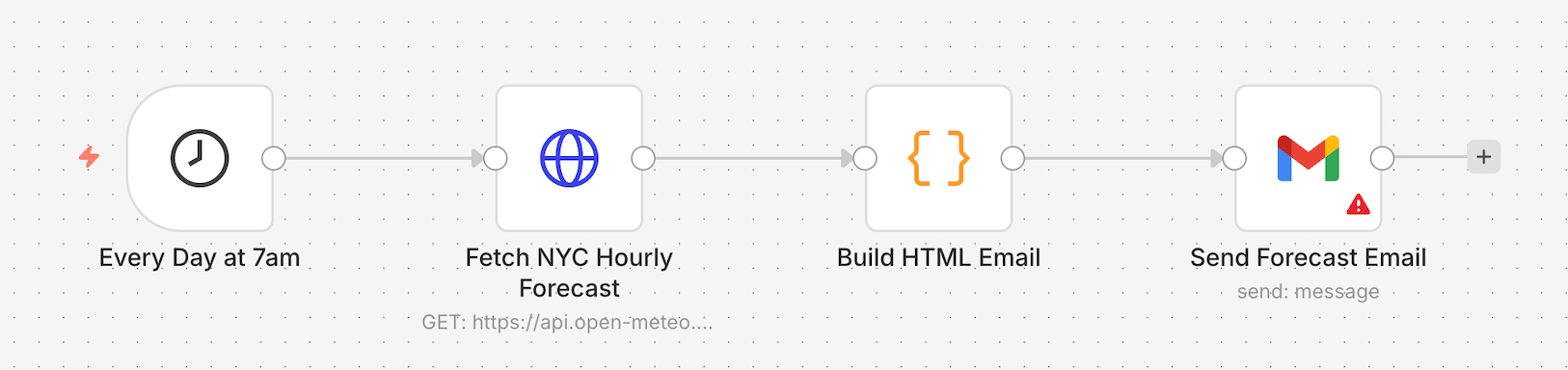
The only thing missing, which was causing an error, was my actual email address in the Gmail node.
Once I added my email address it worked, and I got this result in my email:
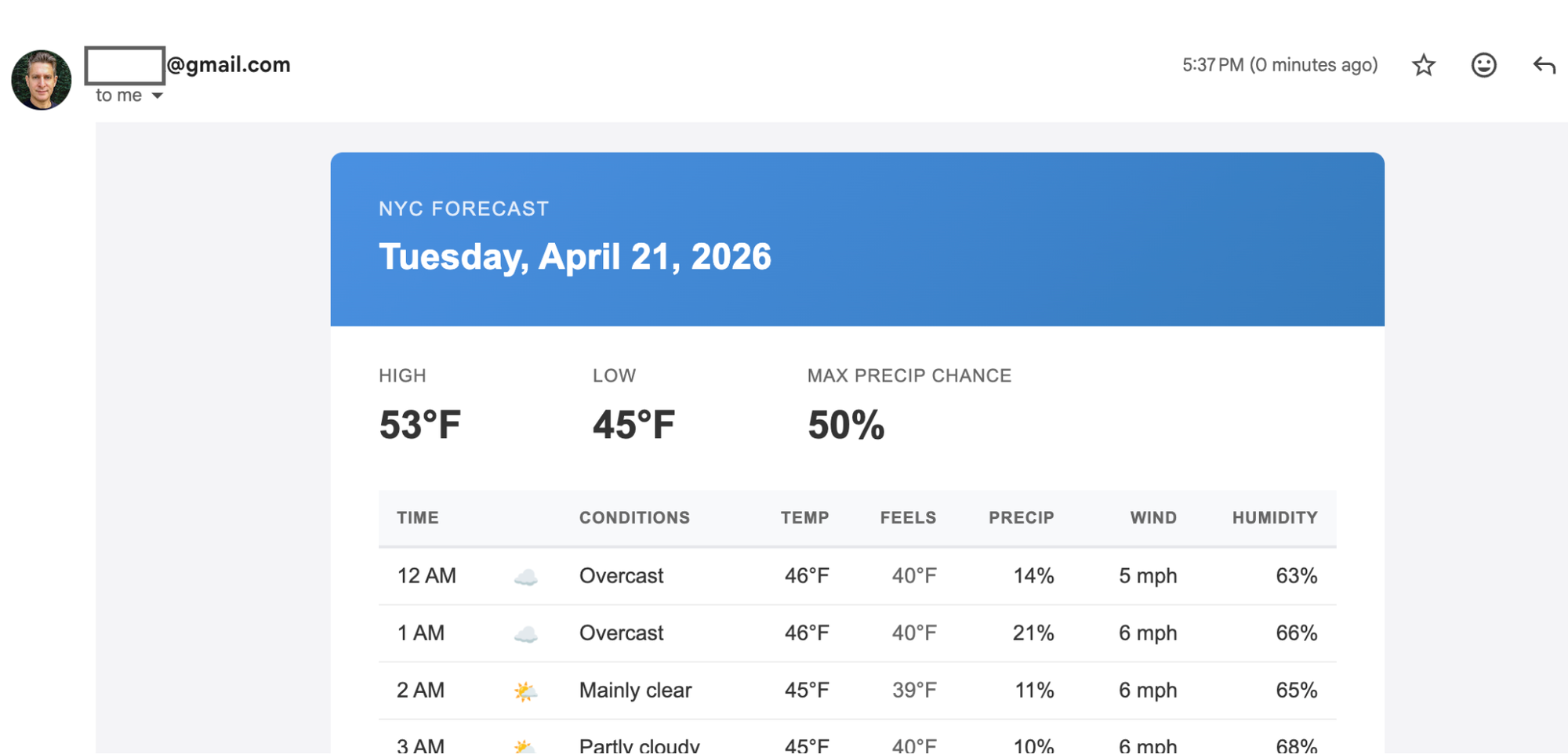
On a side note, I later tested the same prompt with my email address included, and it worked perfectly!
Once it was done, I noticed all of the email formatting is in a code node. I prefer using built-in n8n nodes and using an email template in the Gmail node. So I continued the conversation and asked for this change:
"I noticed the workflow is very code heavy for all of the formatting. Update the workflow so as much as possible it does not use code but instead has a standard template that we fill with data from the weather API. I'm fine if it it's less detailed."
This is where using the MCP really shines. You're iterating on the workflow using a natural back-and-forth conversation.
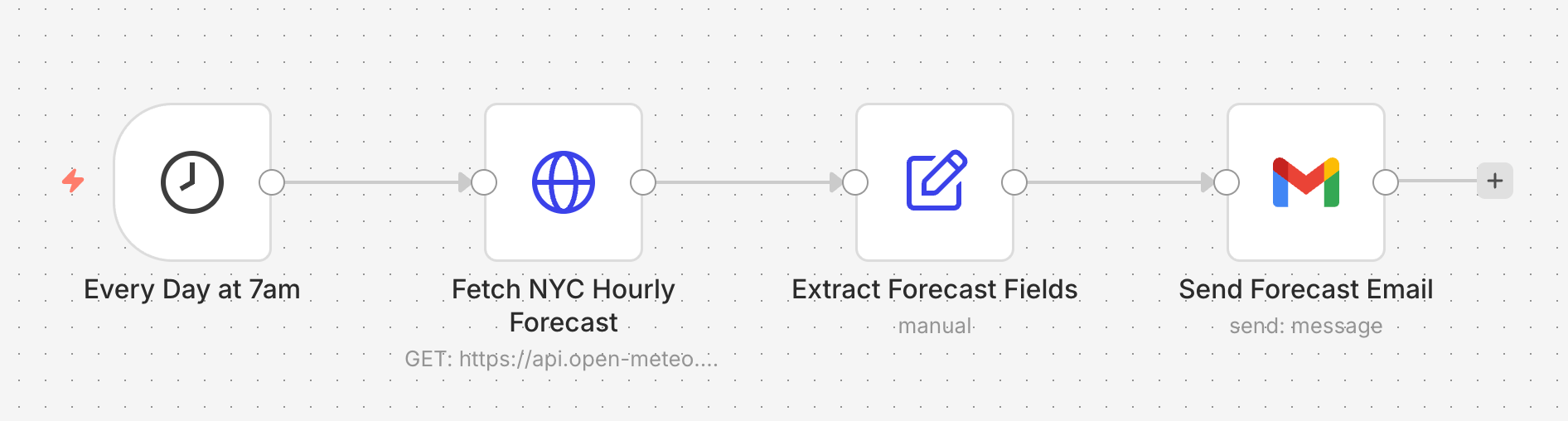
This is the response I got back from Claude:

And indeed it updated the workflow to use the set node instead of the code node and put the template in the Gmail node 🙂
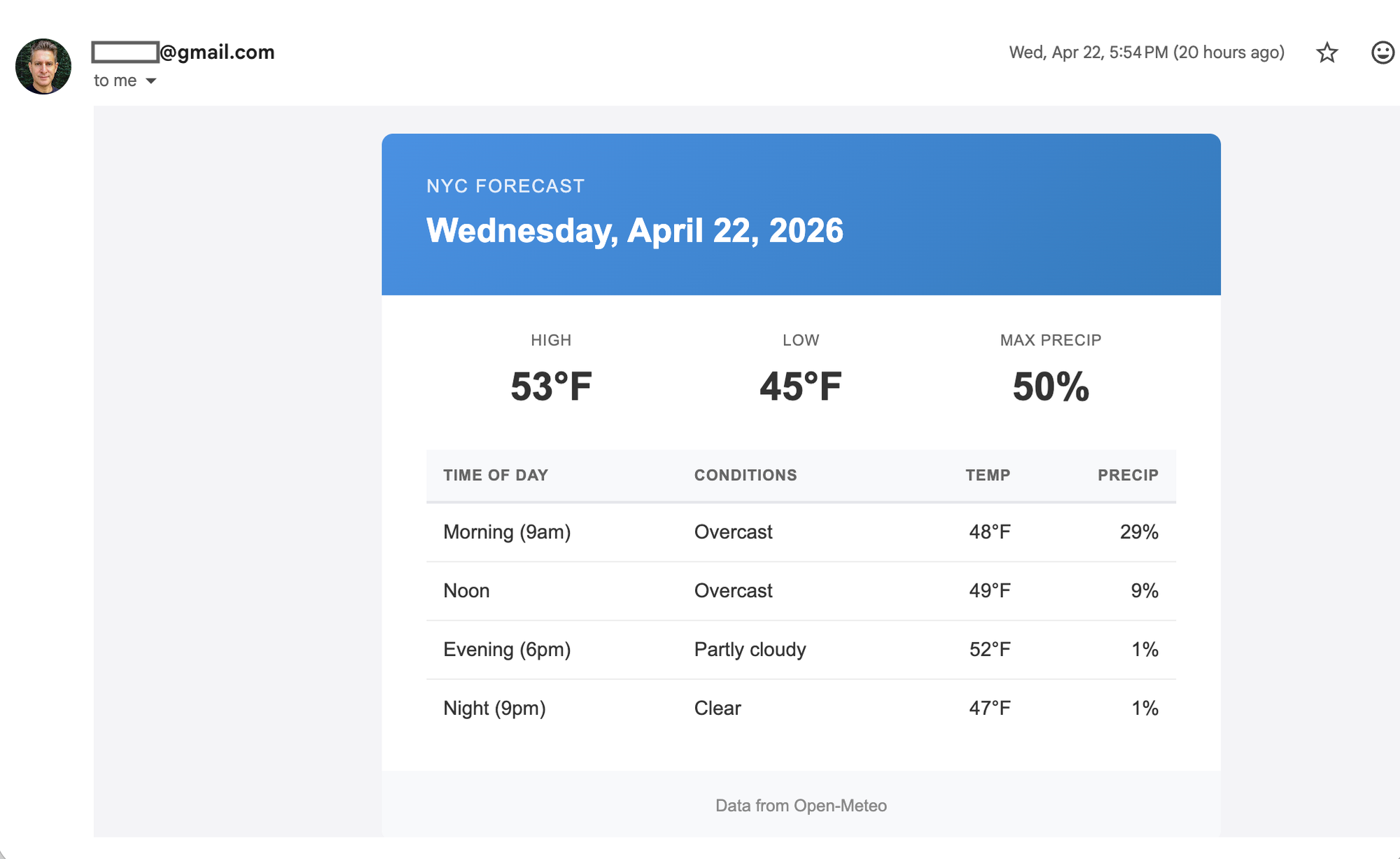
The final email looks like this:
How it works
The MCP server adds more than just tools to create or update workflows. It also has tools for validating workflows, running test executions, and generating test data.
So when your MCP client creates a workflow, the flow usually looks like this:
- Generate the workflow
- Validate it (catches most errors before execution)
- If validation fails, fix it and re-validate
- Execute it, generating test data if needed
- If execution fails, read the error, fix the workflow, run it again
All of that happens inside your MCP client while you watch.
You don't need to do anything.
No copy-paste, no pasting errors back, no debugging handoffs. If your prompt was specific enough, you end up with a working workflow, and if the first attempt had issues, the model iterates on its own to fix it.
Please note: The process described above is not part of any instructions given to the client. The model is not told to test the workflow after the build process, it’s just something most clients and LLMs naturally do.
The n8n team already uses it daily for real work, but complex workflows often need a second (or third) pass, and we're still smoothing rough edges.
Connecting your MCP client
Connecting to the n8n MCP server works the same way as connecting to any other MCP server, though you need to first enable it for your n8n instance.
- Enable the MCP server
- Copy the connection details
- Add the n8n MCP server to your MCP client of choice
- Restart or reload the client
The setup guide also includes per-client instructions for Claude Desktop, Claude Code, Codex CLI, and Google ADK.
→ Check out the Full Setup Guide for details.
2.18.4 or higher for the best experience creating workflows with the MCP server.Alternatively, check out our video which covers the MCP setup and some additional tips.
Getting the most out of it
Here are a few things we've learned so far. Some of these are tips, some are known rough edges that we’re working on.
Tips
- Use a Coding Agent
Our internal testing showed Claude Code gets better results than Claude Chat using the same prompt and the same models. - Tell it how to build, not just what to build
- If you’re just getting started with n8n, you can skip this tip and just describe the problem you’re trying to solve in plain english.
- On the other hand, if you’re a veteran n8n builder, be explicit in what nodes to use. For example, whether it uses Code nodes or native ones, whether formatting lives in a template or a script, or whether the timezone is hardcoded.
- Name the services you want
When two services could plausibly do the job, like HTTP Request vs. a dedicated integration, or Gmail vs. a generic SMTP node, tell it which one to use. The model will guess otherwise, and it doesn't always guess well. - Iterate, don't restart
If it got 80% right, refine in the same conversation. Starting over usually loses context and makes things worse. - If you make any changes in the UI, tell it to check the latest version This might be obvious, but a few times I made changes mid-session via the UI and forgot to tell Claude to check for my changes before continuing. Those changes were over-written.
- Ask it what it got wrong
After it builds, ask "what would have been better if I'd mentioned it upfront?" The answer is often one sentence that'll save you a rebuild next time.
What it can get wrong
- Silent design choices on the first pass
The model makes small decisions it doesn't always surface. If something feels off, it usually is. Ask what it decided and don't assume nothing was decided. - Over-engineering before you push back
First attempts are sometimes more complex than needed, like a 50-line Code node where a template and a Set node would do. A quick "this feels too code-heavy" usually produces a simpler second version. - Complex branching.
Workflows with a lot of conditional paths or nested logic often need manual cleanup. We're actively working on this. - Node selection when options overlap.
If multiple nodes could do the job, it sometimes picks the wrong one. This is the single most common thing worth steering explicitly. - Platform quirks discovered mid-build.
The model learns some of the SDK's constraints the hard way, by hitting a blocked method, a credential it can't bind, a node that can't self-reference. A retry cycle or two is normal on non-trivial workflows. That's the guardrails working, not the model failing.
We're fixing rough edges quickly. Expect things to get noticeably better over the next few releases.
A quick word on how it's built
The MCP server generates a TypeScript representation of the workflow rather than raw JSON. In practice, that means the model has to produce something that type-checks and compiles before anything touches your instance, leading to a more reliable solution.
A few other things worth knowing about the native MCP server:
- No extra service to run or maintain
It's part of n8n. If your instance is up, the MCP server is up. - Deeper integration
Because it's built into n8n, it can use capabilities that aren't exposed through the public API. - Generates code, not JSON
The TypeScript approach (above) produces much better results than direct JSON generation in our testing.
👉 A full technical deep-dive on the architecture is coming soon!
We also want to acknowledge the community members that built their own open-source MCP servers to create workflows. The people behind them are often among our most engaged users and we appreciate the hard work that went into those solutions.
Start building today!
So go build something. If you’ve got an n8n instance, you're ready to go!
→ Check out the Full Setup Guide for details.
And since this is a public preview, we really want your feedback. We've opened a thread on the community forum specifically for this:
→ Leave your feedback here
Tips, bugs, weird edge cases, workflows you're proud of - all welcome. The team is watching it closely and a lot of what we ship next will come from what you tell us.